Rollback Procedures
Content:
Create Rollback Plan
Stop Migration Task
- In the DMS Console > “Database migration tasks”.
- Select the task: mysql-to-postgres-migration.
- Click “Actions” > “Stop”.
- Confirm stop.
Create RDS Snapshots
-
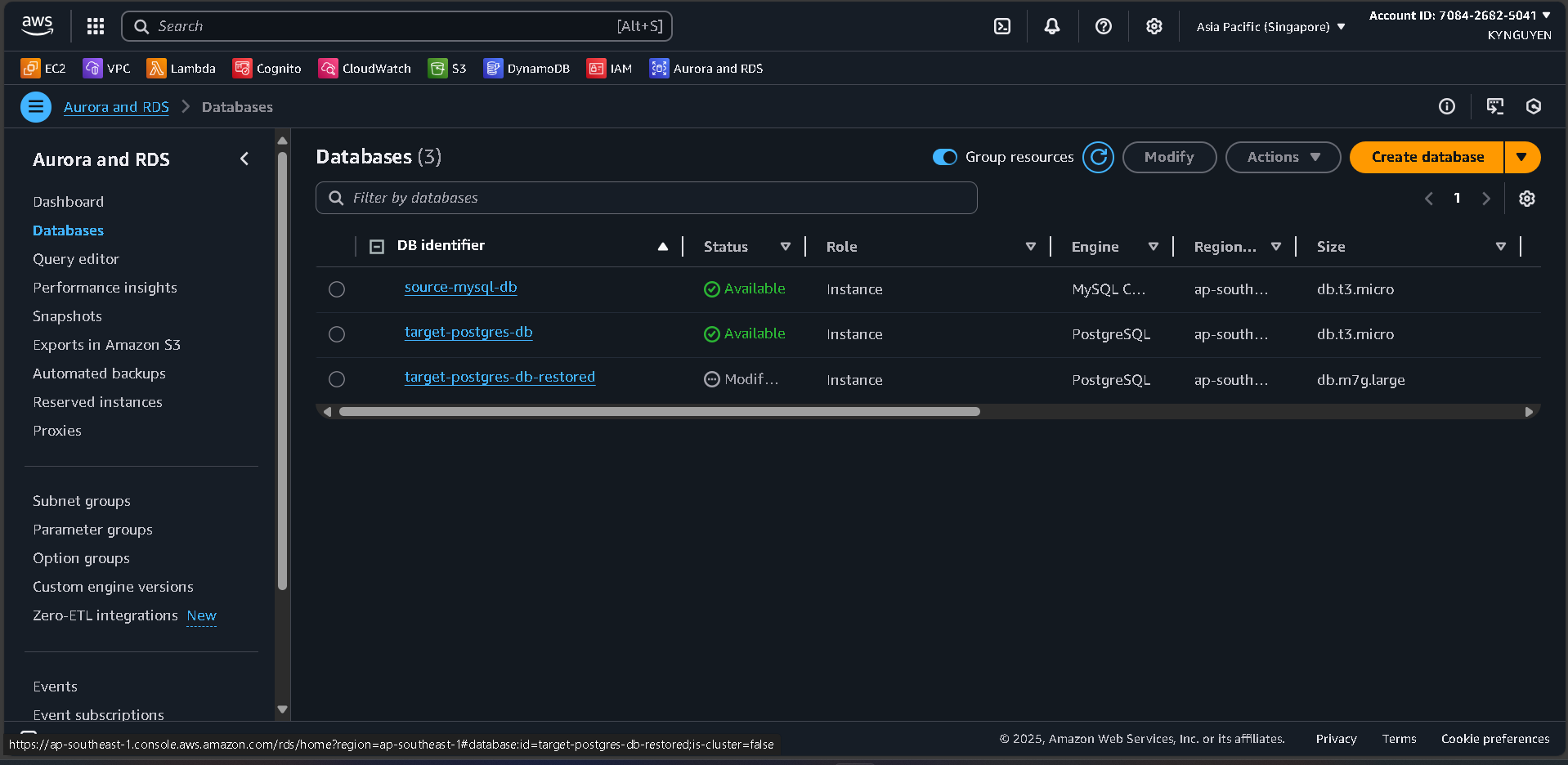
In the RDS Console > “Databases”.
-
Select source-mysql-db.
-
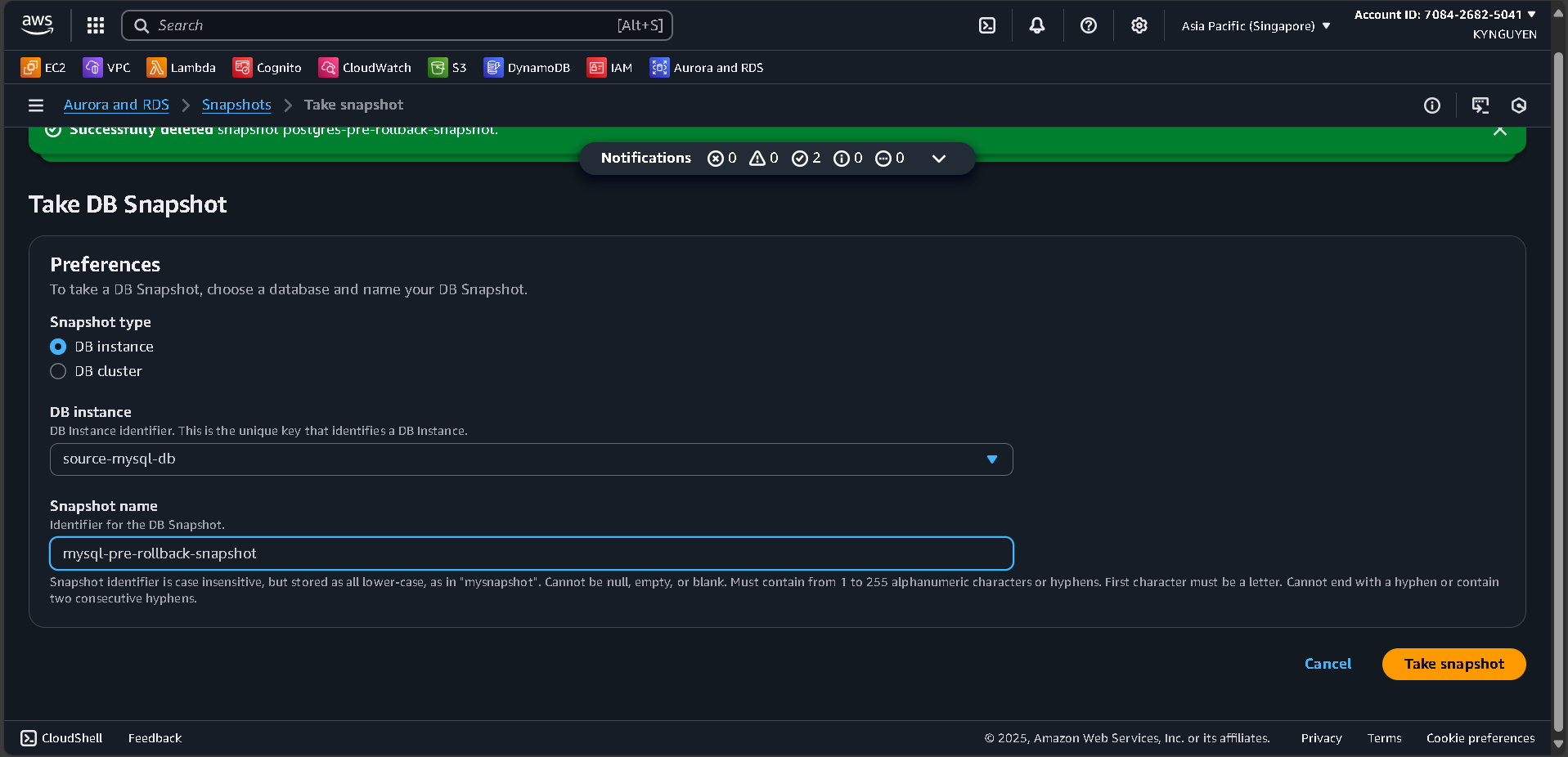
Click “Actions” > “Take snapshot”.
-
Snapshot identifier:
mysql-pre-rollback-snapshot. -
Click “Take snapshot”.
-
Repeat for target-postgres-db:
- Snapshot identifier:
postgres-pre-rollback-snapshot
- Snapshot identifier:
Execute Rollback Test
Simulate Rollback Scenario
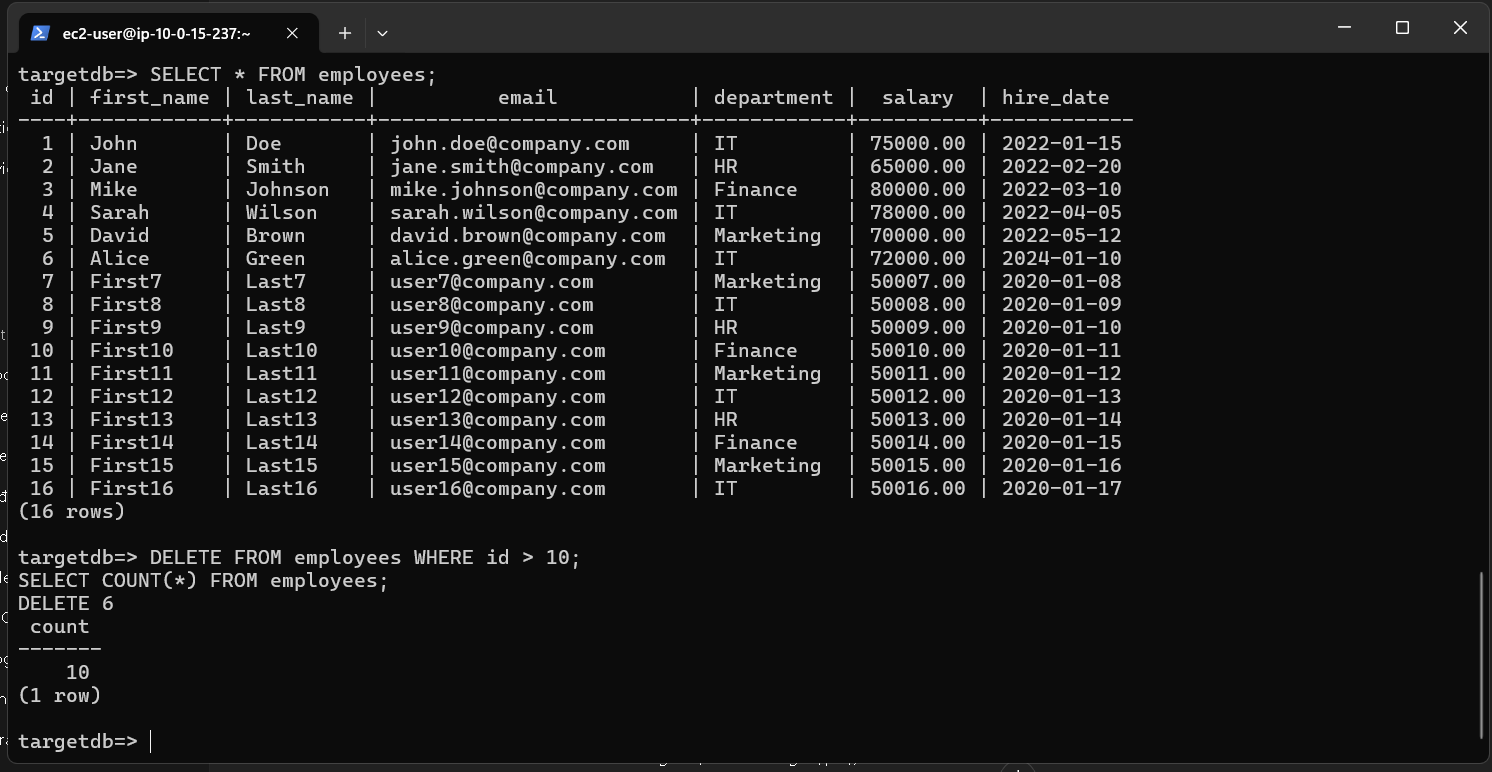
- Connect to the target PostgreSQL database:
psql -h [TARGET-POSTGRES-ENDPOINT] -U postgres -d targetdb
- Delete some data to simulate corruption:
DELETE FROM employees WHERE id > 10;
SELECT COUNT(*) FROM employees;
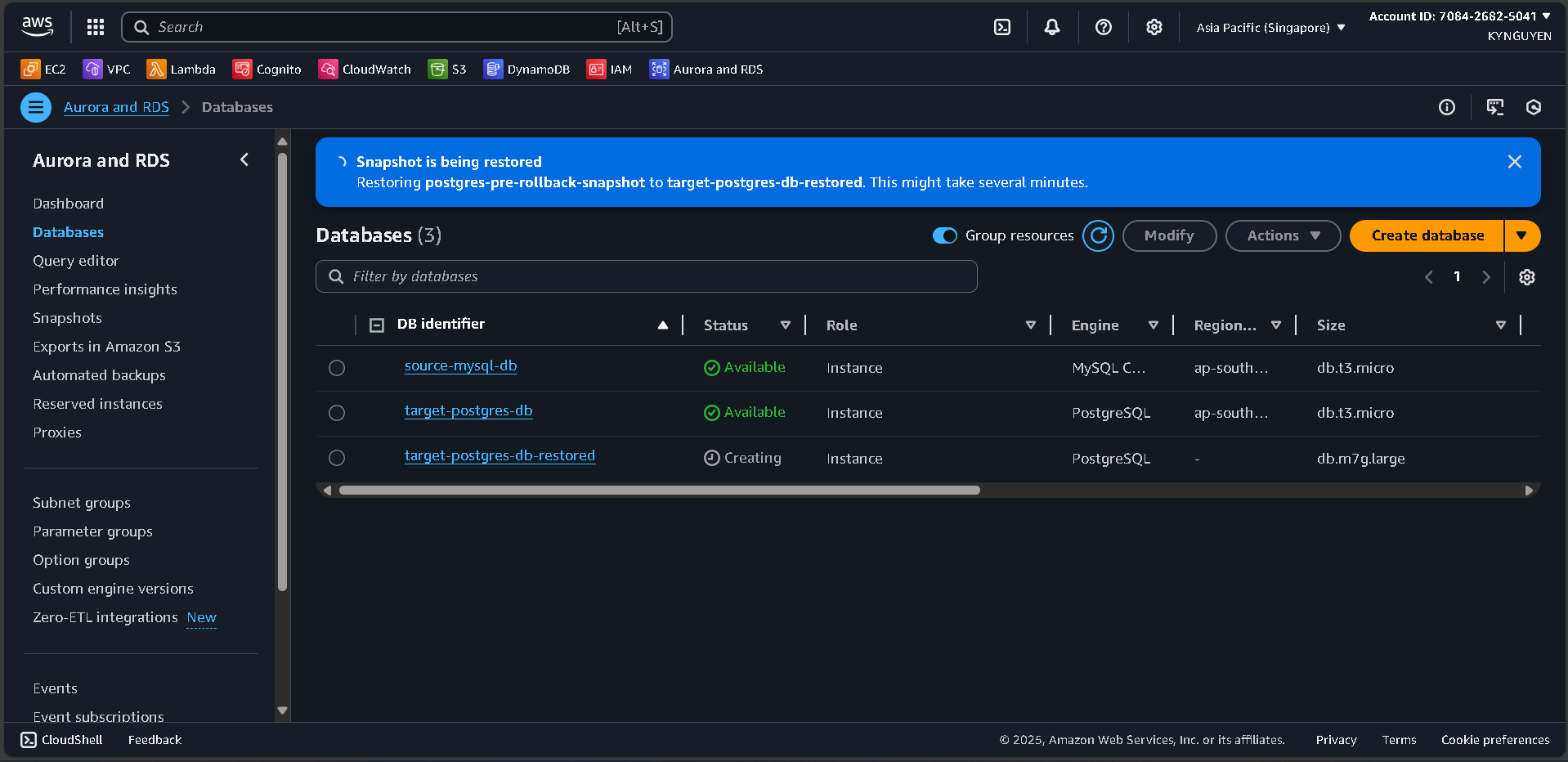
Restore from Snapshot
-
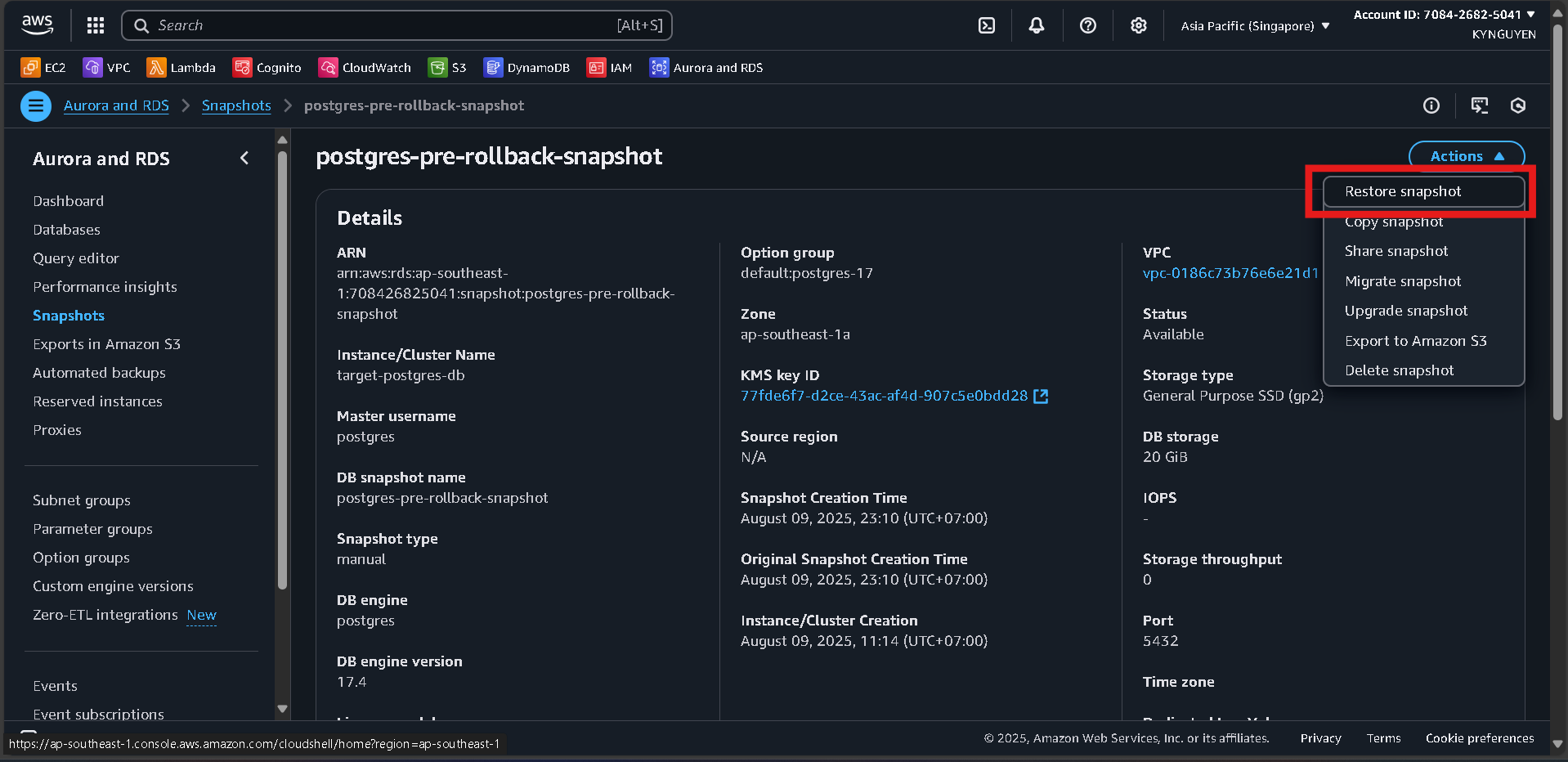
In the RDS Console > “Snapshots”.
-
Select postgres-pre-rollback-snapshot.
-
Click “Actions” > “Restore snapshot”.
Configure:
DB instance identifier: target-postgres-db-restored DB instance class: db.t3.micro VPC: migration-vpc DB subnet group: migration-db-subnet-group Click “Restore DB instance”.
Verify Rollback
-
Wait for the restored instance to become Available (~10 minutes).
-
Connect to the restored instance.
-
Verify data integrity:
SELECT COUNT(*) FROM employees;
SELECT * FROM employees WHERE id > 1000 LIMIT 5;