Migration Task Setup & Validation
Content:
Create Migration Task
2.1.1 Access DMS Console
- In AWS Console, search for DMS.
- Click Database Migration Service.
- Go to Database migration tasks.
- Click Create task.
2.1.2 Configure Task
- Task identifier:
mysql-to-postgres-migration - Replication instance:
migration-replication-instance - Source endpoint:
source-mysql-endpoint - Target endpoint:
target-postgres-endpoint - Migration type:
Migrate existing data and replicate data changes
2.1.3 Task Settings
- Target table preparation mode: Drop tables on target
- Include LOB columns in replication: Limited LOB mode
- Max LOB size (KB): 32
- Enable validation: Yes
- Enable CloudWatch logs: Yes
2.1.4 Table Mappings
- Editing mode: Wizard
- Click Add new selection rule and configure:
- Schema:
sampledb - Table name:
% - Action: Include
- Schema:
- Click Create task.
Monitor Migration Progress
2.2.1 Check Task Status
- In Database migration tasks, click task name:
mysql-to-postgres-migration. - Monitor these tabs:
- Overview: Task status & progress
- Table statistics: Per-table details
- CloudWatch metrics: Performance metrics
- CloudWatch logs: Detailed logs
2.2.2 Verify Table Statistics
- Full load: Tables loaded completely
- Ongoing replication: Real-time data changes applied
- Validation: Data consistency check
📝 Progress Notes
- Full load completed: ✓
- CDC enabled: ✓
- Validation status: ✓
Validate Migration
Connect to Target PostgreSQL
- From EC2 Bastion Host, install PostgreSQL client:
sudo yum install postgresql15 -y - Connect to PostgreSQL:
psql -h [TARGET-POSTGRES-ENDPOINT] -U postgres -d targetdb
Password: MyPassword123!
Verify Migrated Data
-- List all tables
\dt

-- Check employees table
SELECT COUNT(*) FROM employees;
SELECT * FROM employees LIMIT 5;

-- Check departments table
SELECT COUNT(*) FROM departments;
SELECT * FROM departments;

-- Verify data types
\d employees
\d departments
Test CDC (Change Data Capture)
In a new terminal, connect to MySQL source:
mysql -h [SOURCE-MYSQL-ENDPOINT] -u admin -p sampledb
Insert new record:
INSERT INTO employees VALUES
(6, 'Alice', 'Green', 'alice.green@company.com', 'IT', 72000.00, '2024-01-10');
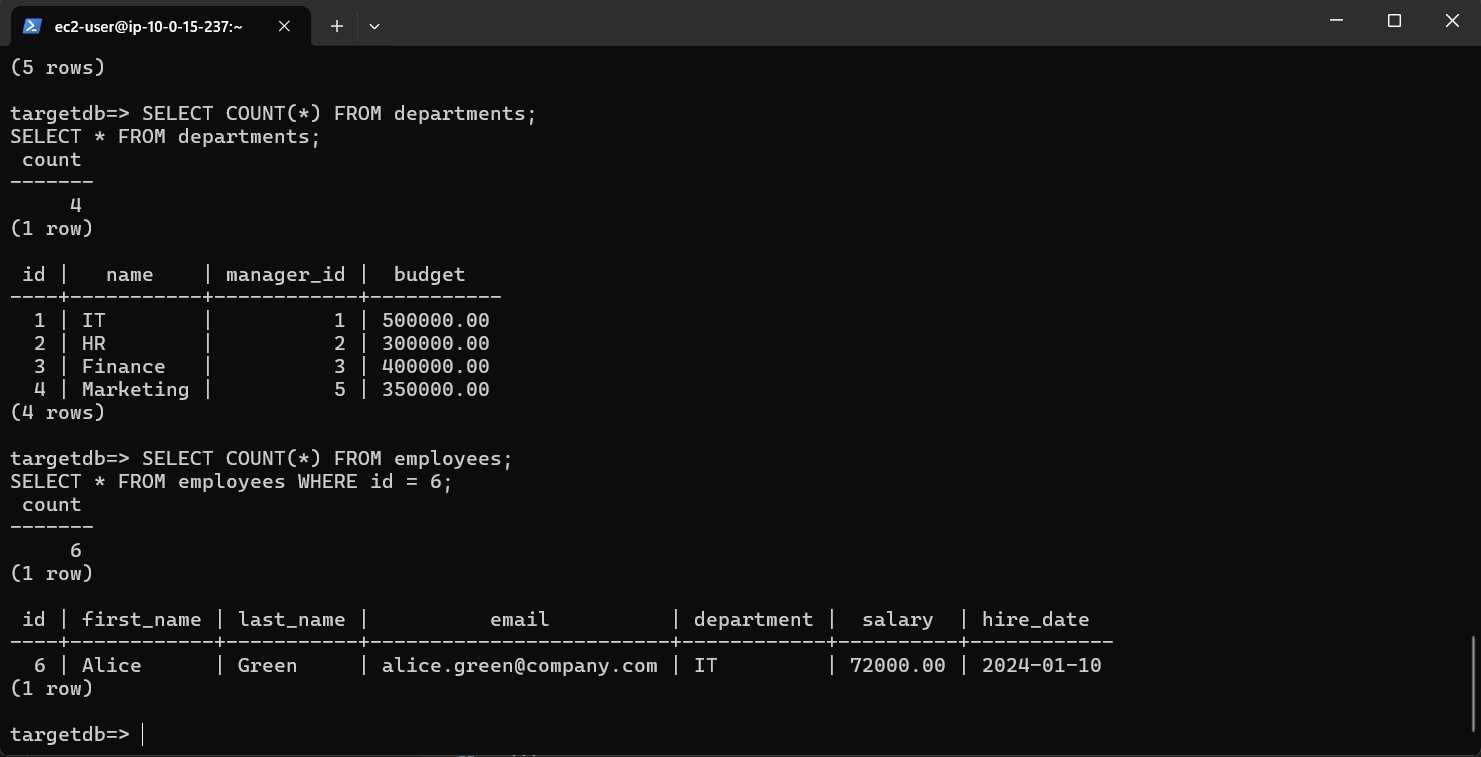
Back in PostgreSQL, verify:
SELECT COUNT(*) FROM employees;
SELECT * FROM employees WHERE id = 6;
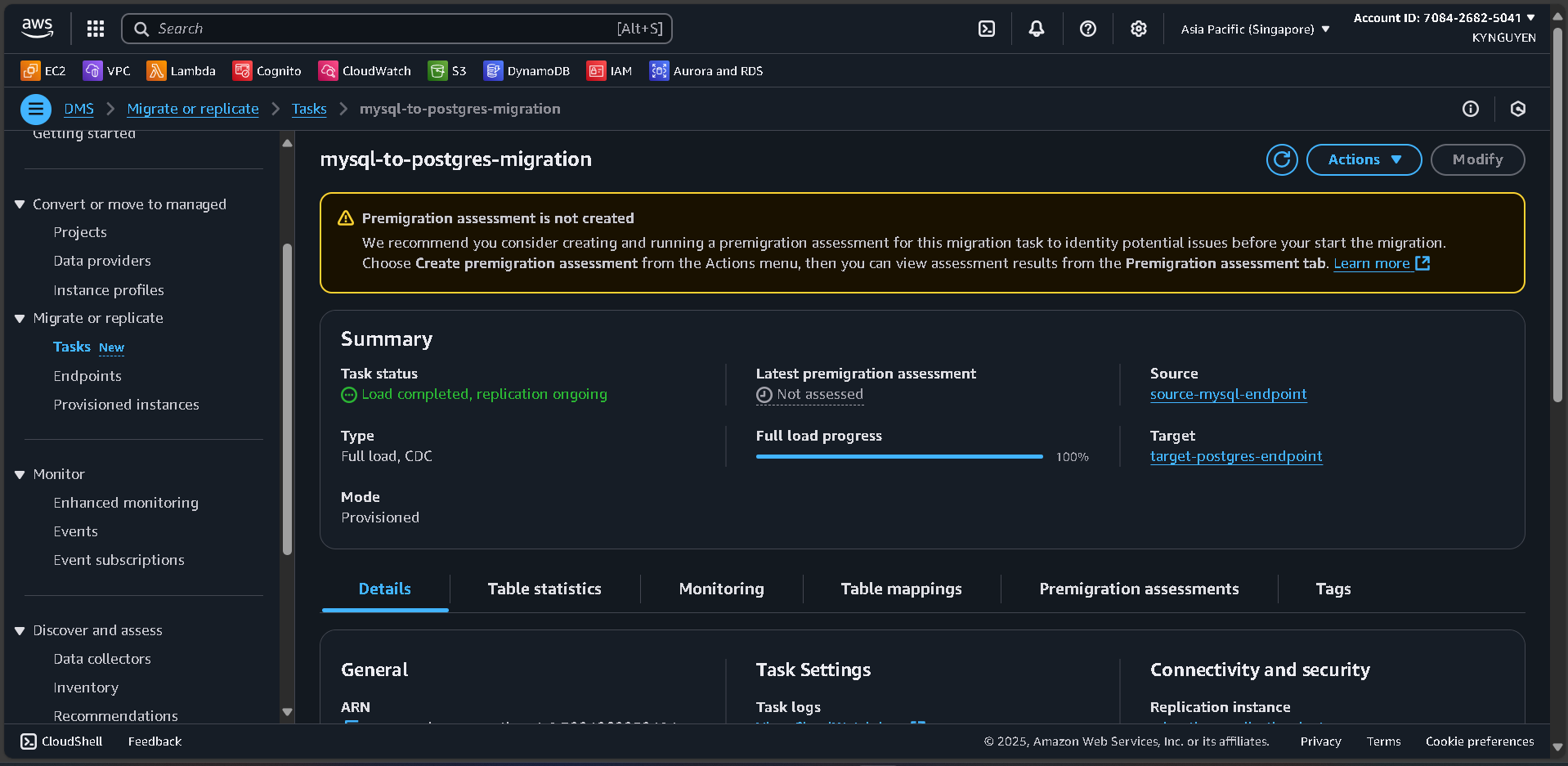
2.2 Mornitor Migration Progress
Monitor Task Status
- In “Database migration tasks” on the AWS DMS Console
- Click the task name: mysql-to-postgres-migration
- Monitor the following tabs:
- Overview: View migration task status and progress
- Table statistics: Detailed status of each table
- CloudWatch metrics: Replication performance metrics
- CloudWatch logs: Detailed migration logs

Check Table Statistics
- Full load: Verify that tables are completely loaded
- Ongoing replication: Ensure real-time data changes are being replicated
- Validation: Check data consistency between source and target
2.3 Validate Migration
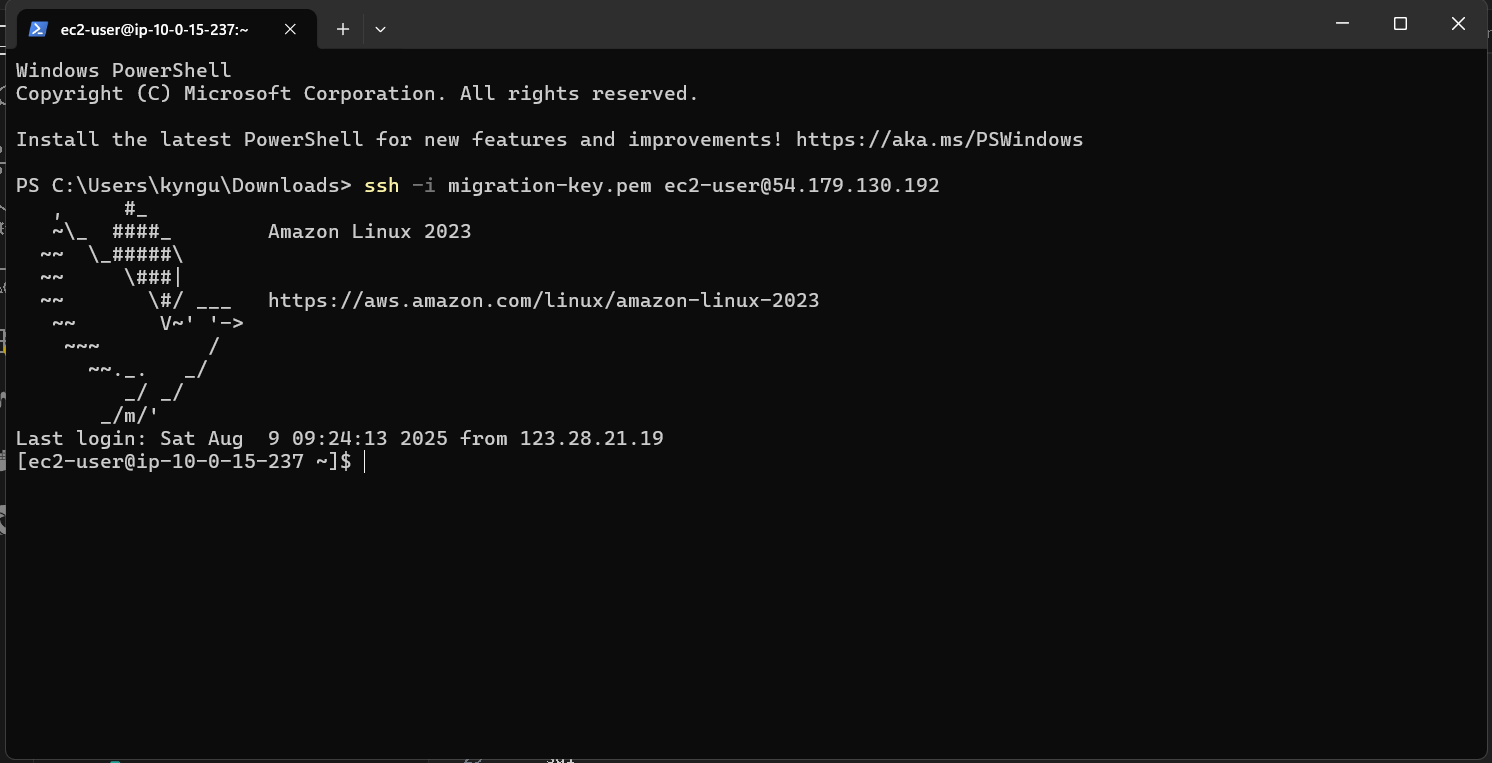
Connect to Target PostgreSQL
- Open your terminal
- Connect EC2 agian like step 1.7
- Install PostgreSQL client:
sudo yum install postgresql15 -y
- Connect to PostgreSQL:
psql -h [TARGET-POSTGRES-ENDPOINT] -U postgres -d targetdb
Enter password: MyPassword123!
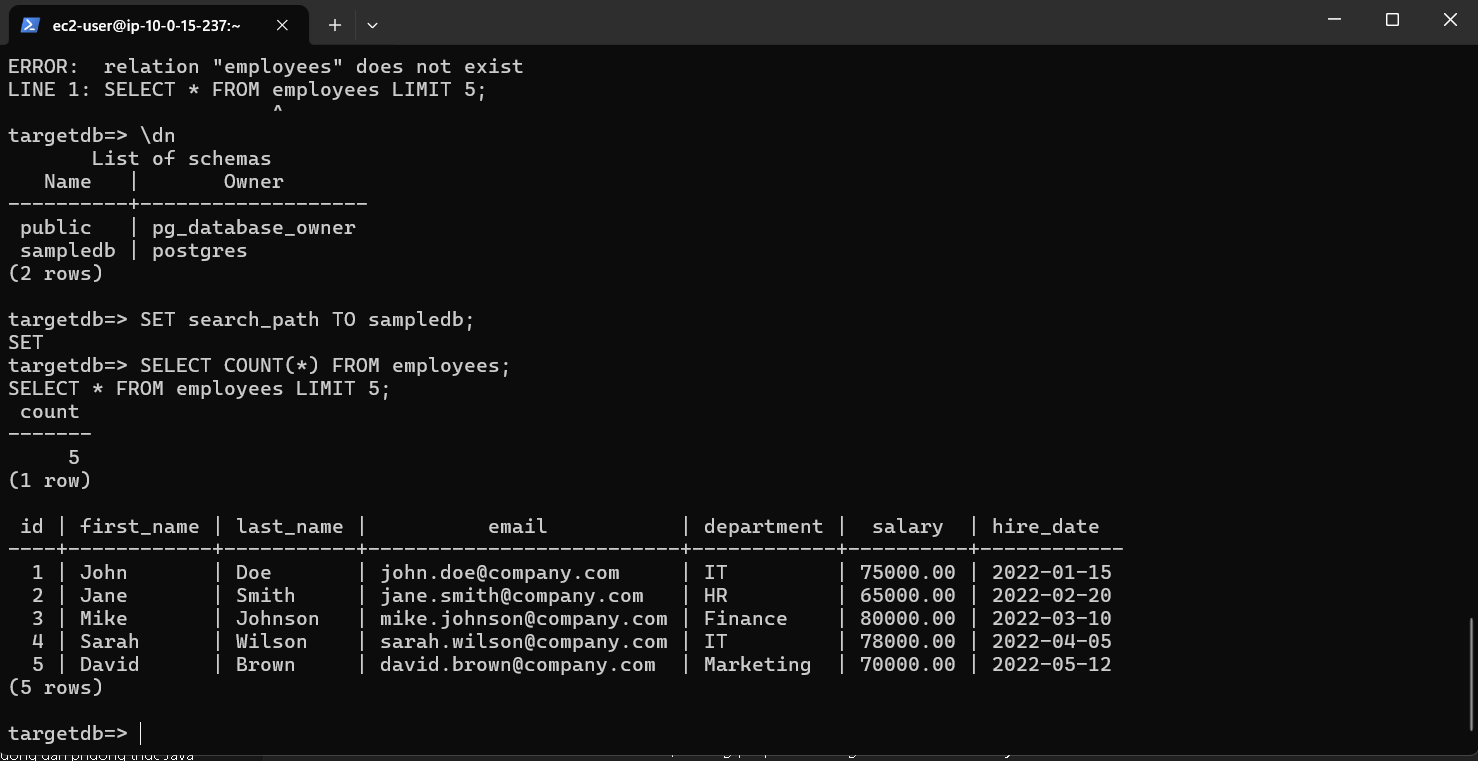
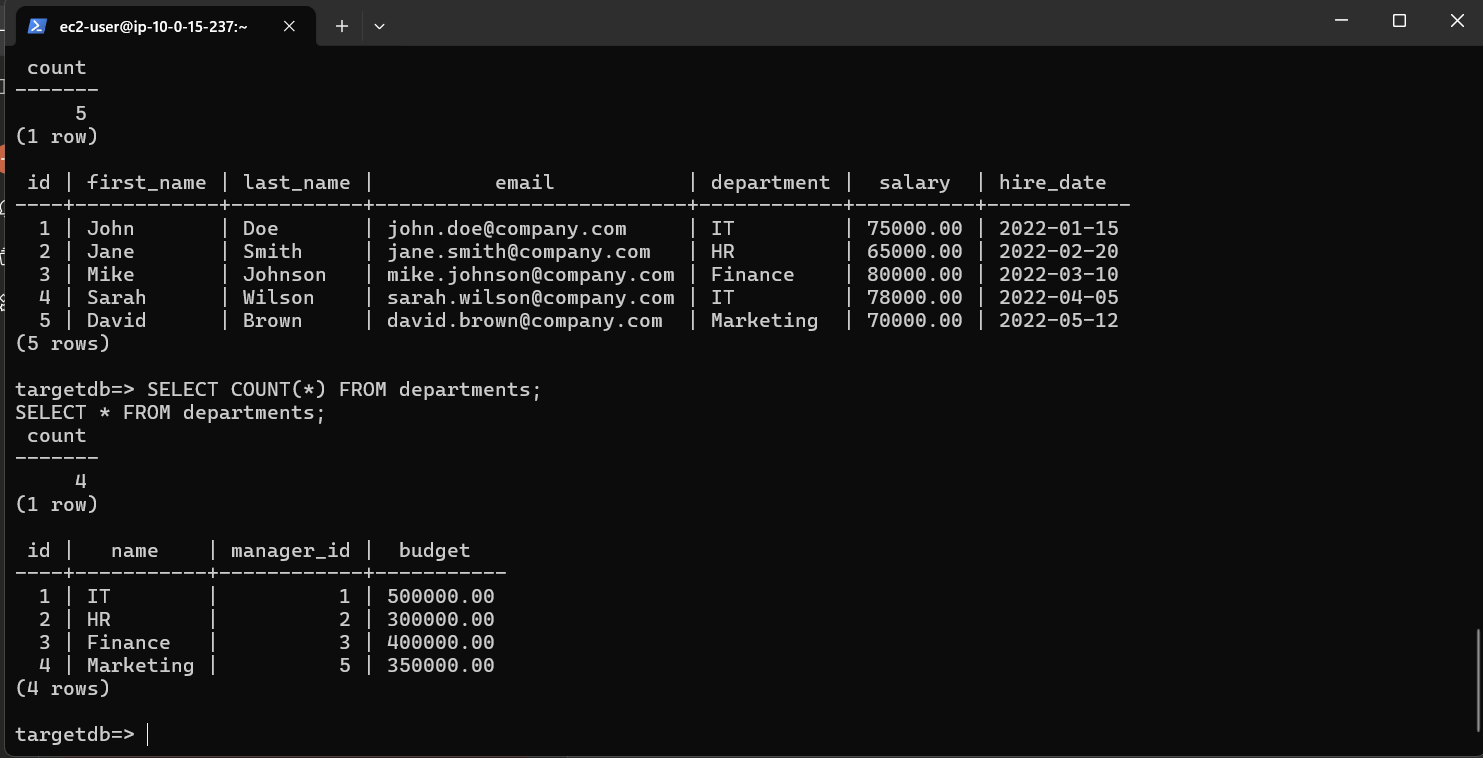
Verify Migrated Data
- Run this line
\dt
SELECT COUNT() FROM employees;
SELECT * FROM employees LIMIT 5;
SELECT COUNT() FROM departments;
SELECT * FROM departments;
\d employees
\d departments
- Result:
Test CDC (Change Data Capture)
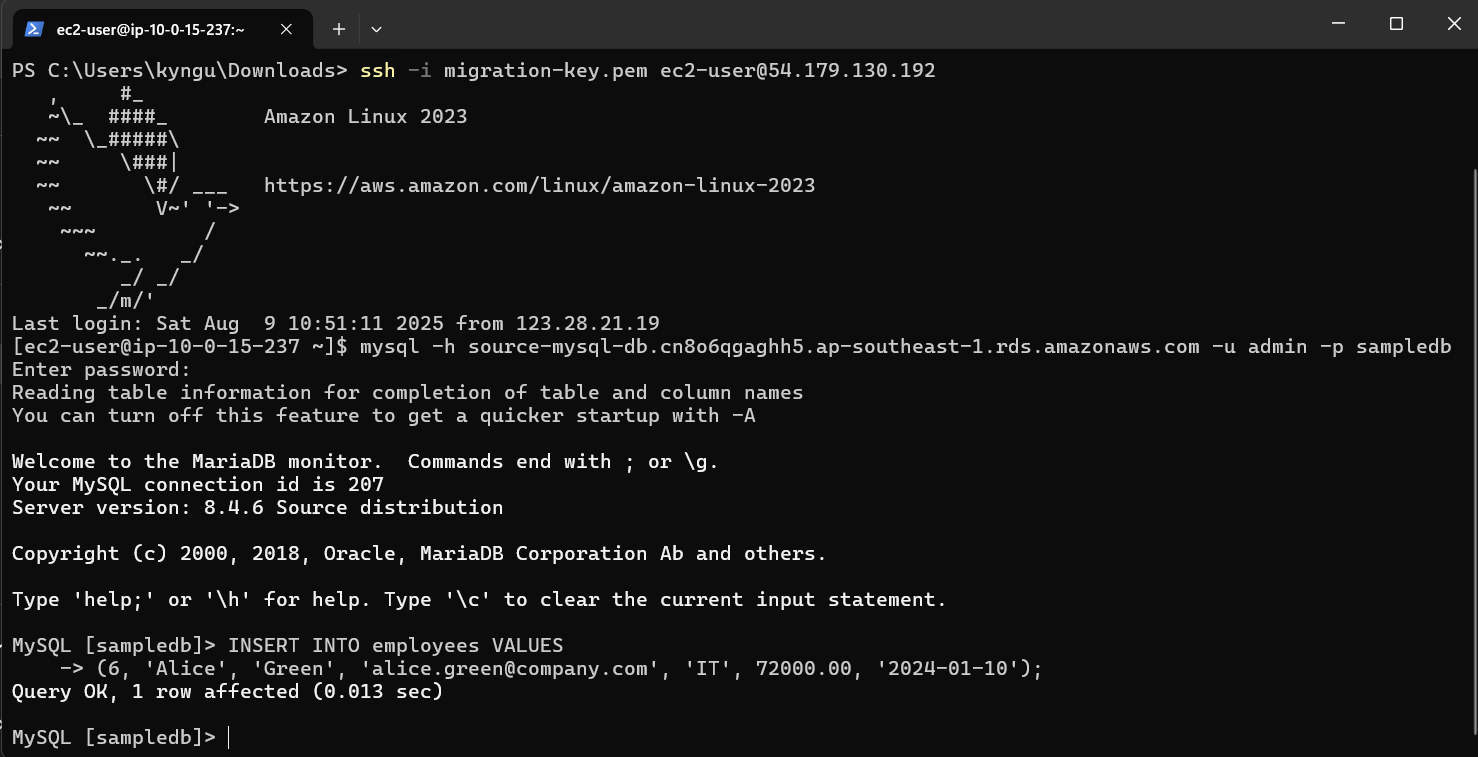
- Open a new terminal and connect to MySQL:
mysql -h [SOURCE-MYSQL-ENDPOINT] -u admin -p sampledb
Enter password: MyPassword123!
- Insert a new record:
INSERT INTO employees VALUES
(6, 'Alice', 'Green', 'alice.green@company.com', 'IT', 72000.00, '2024-01-10');
- Result:
- Go back to PostgreSQL and check:
SELECT COUNT(*) FROM employees;
SELECT * FROM employees WHERE id = 6;
- Result: