Launch EC2 Bastion Host
Launch EC2 Instance for Database Access (Bastion Host)
Step 1: Access EC2 Console
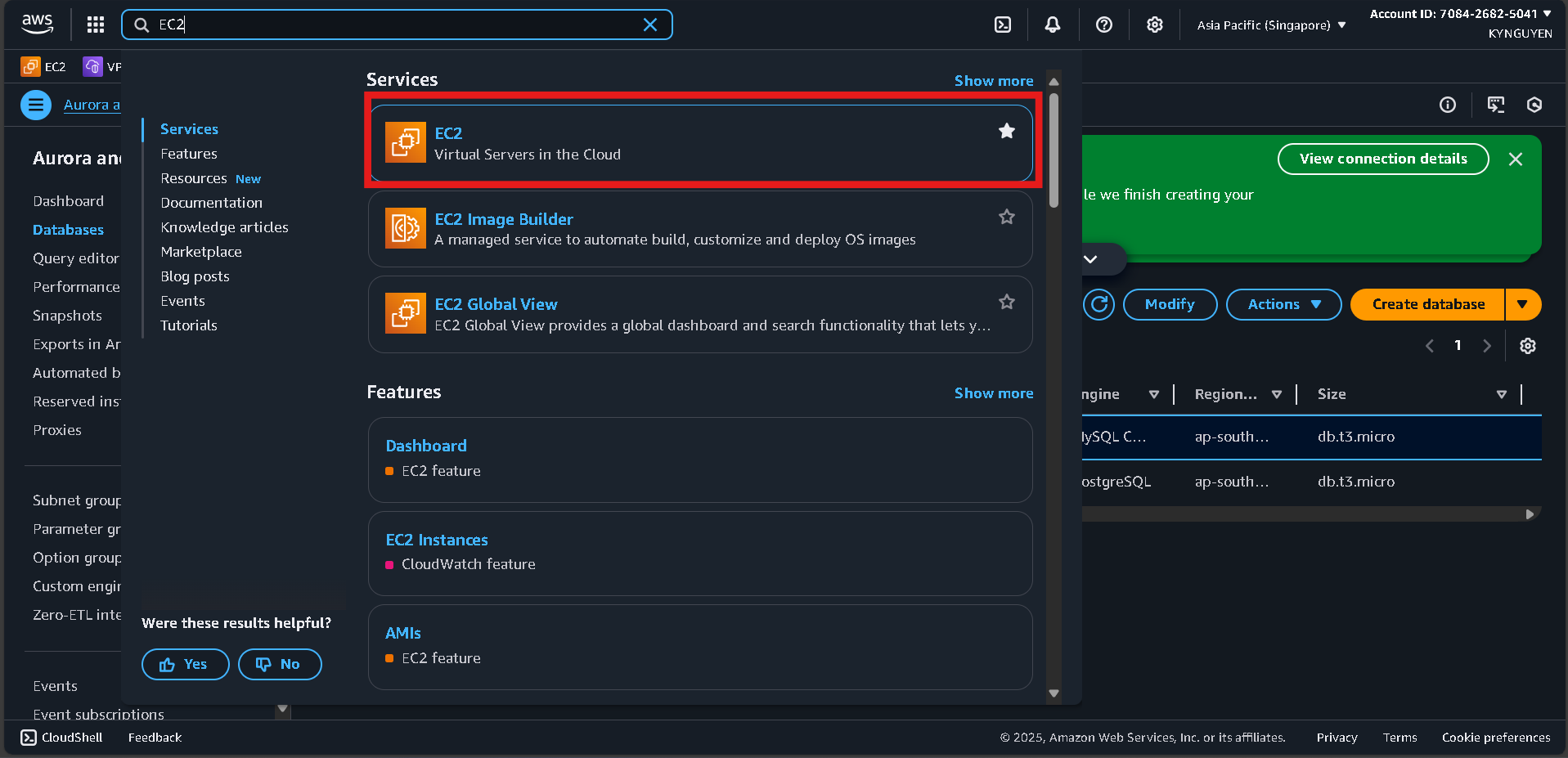
- Search for EC2 in the AWS Console search bar.
- Click Launch instances.
Step 2: Configure EC2 Instance
- Name:
migration-bastion - AMI: Amazon Linux 2023
- Instance type:
t2.micro - Key pair: Create a new key pair → Name:
migration-key→ Download the.pemfile.
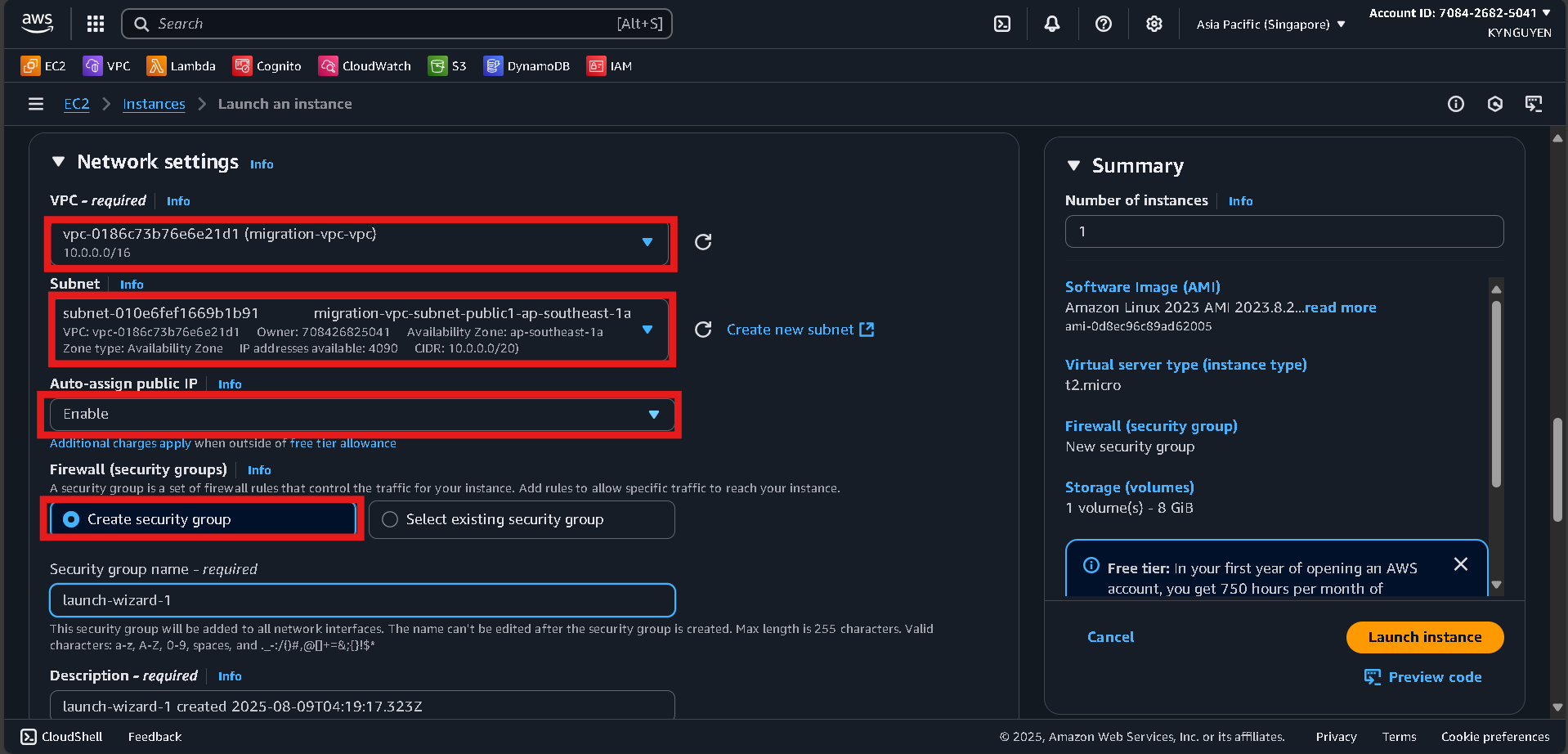
Step 3: Network Settings
-
VPC:
migration-vpc -
Subnet: Select a Public subnet (choose either Public Subnet 1 or 2).
-
Auto-assign public IP: Enable
-
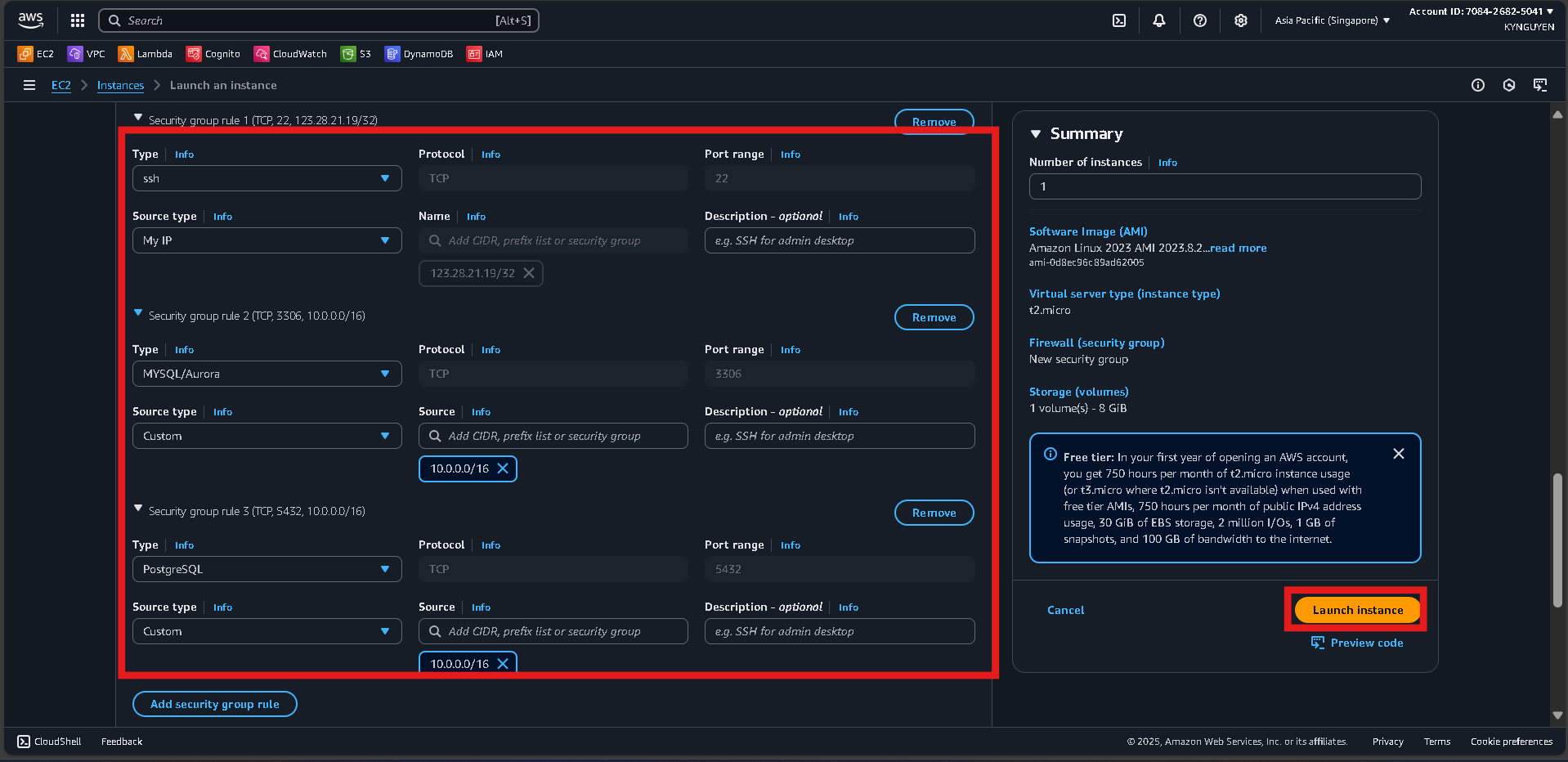
Security group: Create new
- SSH (22): Source = My IP
- MySQL (3306): Source = VPC CIDR (
10.0.0.0/16) - PostgreSQL (5432): Source = VPC CIDR (
10.0.0.0/16)
Step 4: Launch
- Click Launch instance and wait for the instance to become running.