Source & Target Databases Setup
In this section, you will create Source Database (MySQL) and Target Database (PostgreSQL) in Amazon RDS.
Create Source Database (MySQL)
Access RDS Console
- Go to RDS Console → Click Create database.
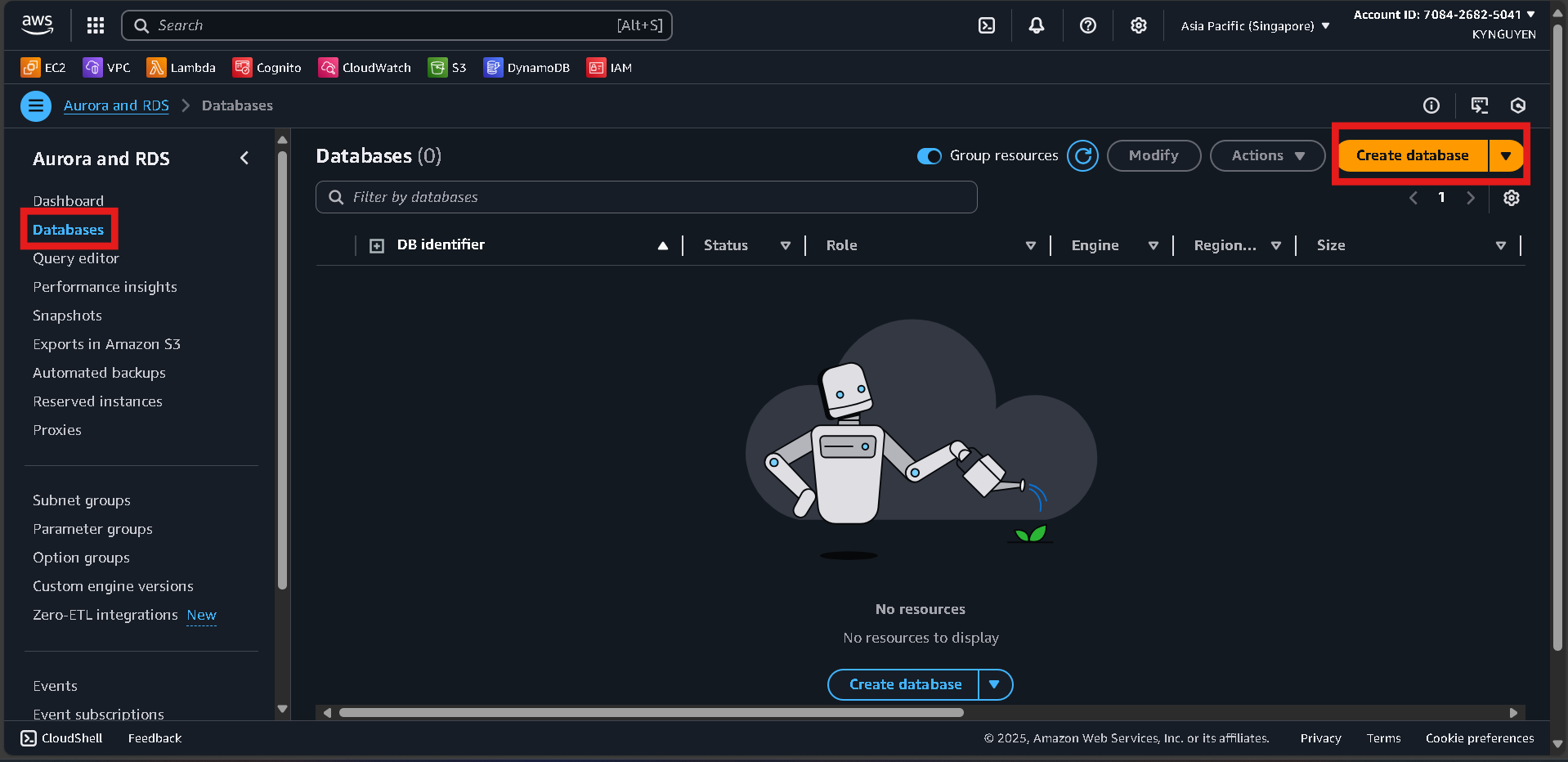
Database Configuration
- Database creation method: Standard create
- Engine: MySQL
- Version: (latest)
- Template: Free tier
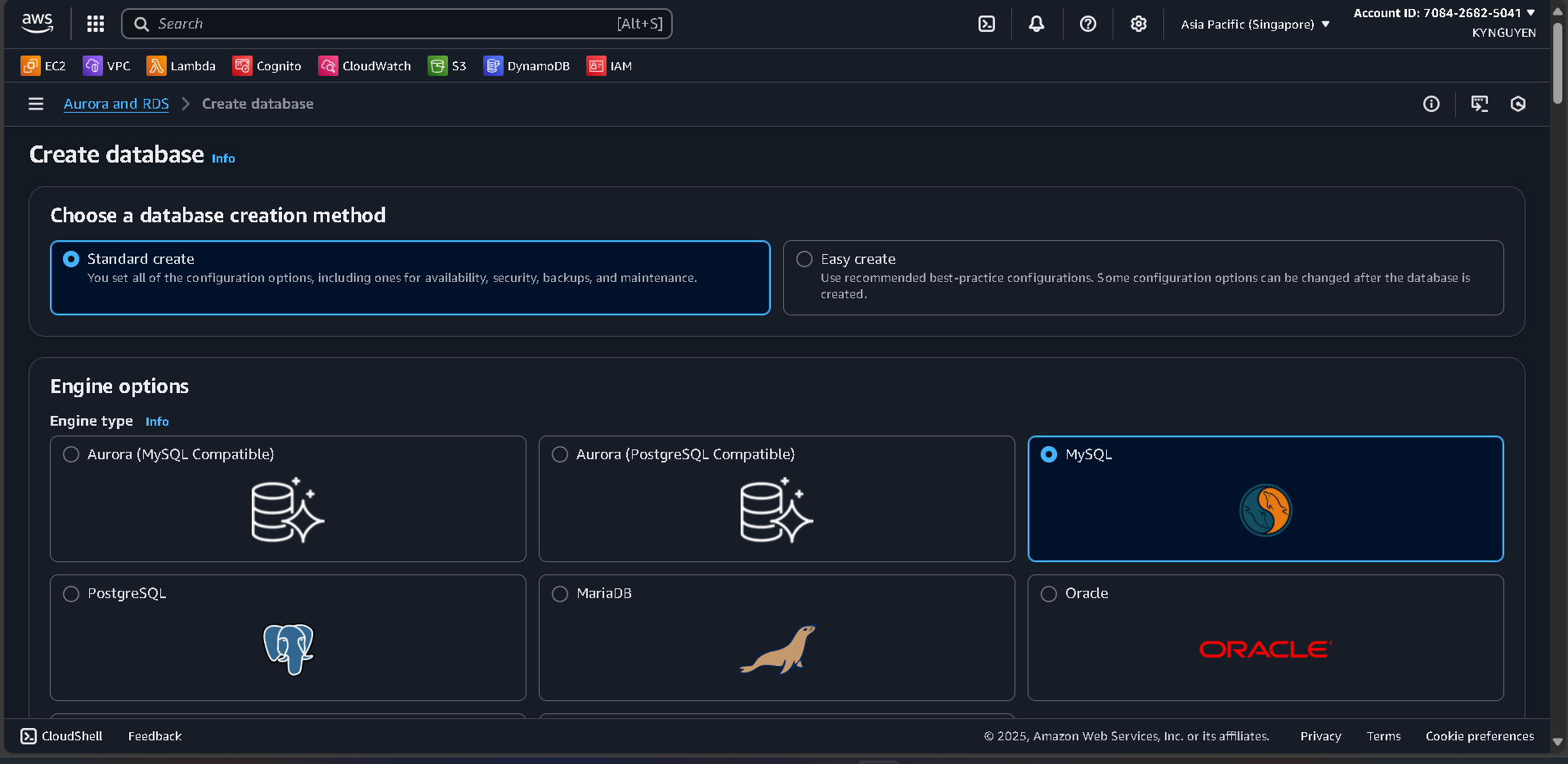
Settings
- DB instance identifier:
source-mysql-db - Master username:
admin - Password:
MyPassword123!
Instance Configuration
- DB instance class:
db.t3.micro(Free tier eligible)
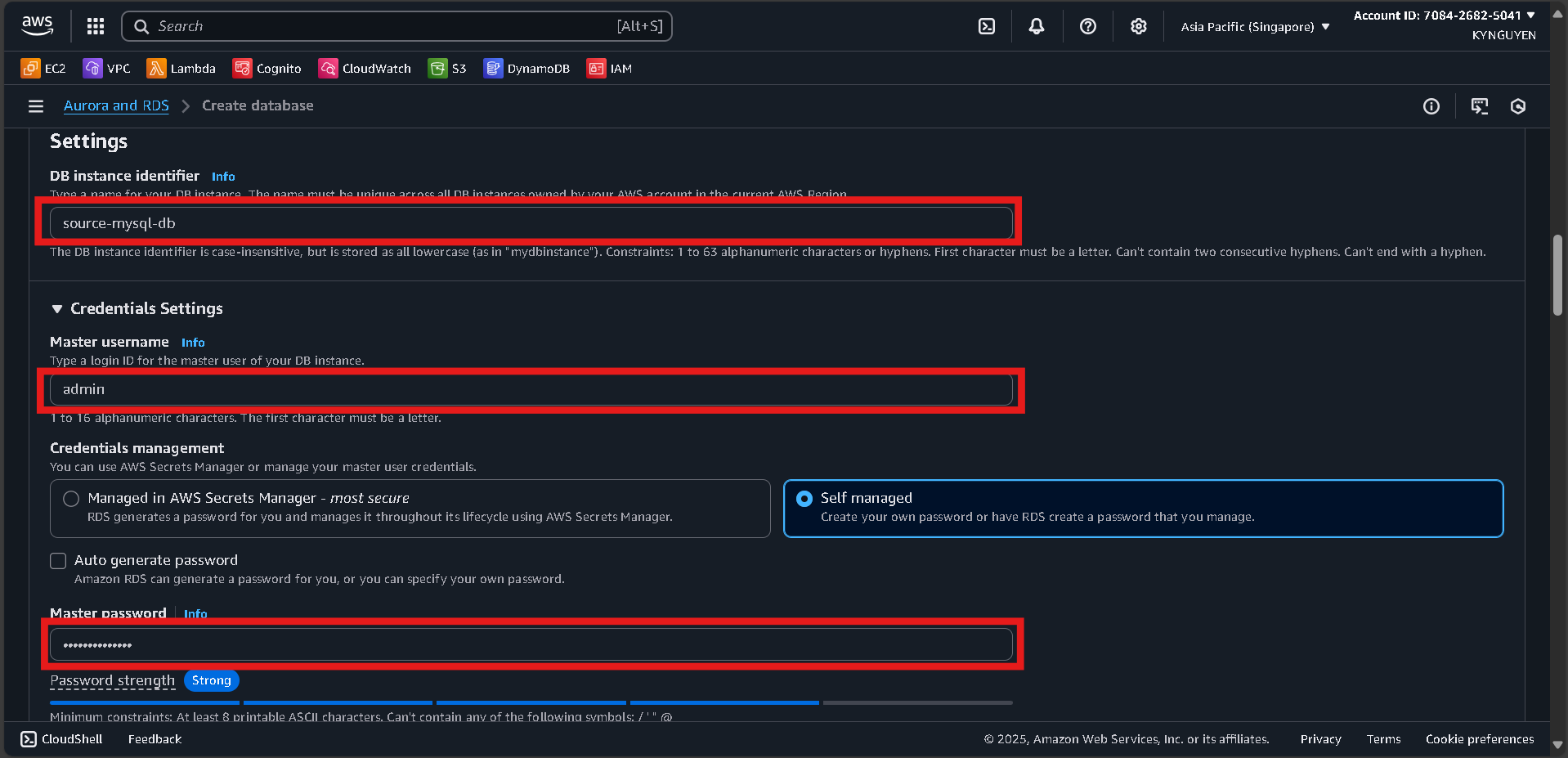
Storage
- Storage type: General Purpose SSD (gp2)
- Allocated storage: 20 GiB
- Disable storage autoscaling
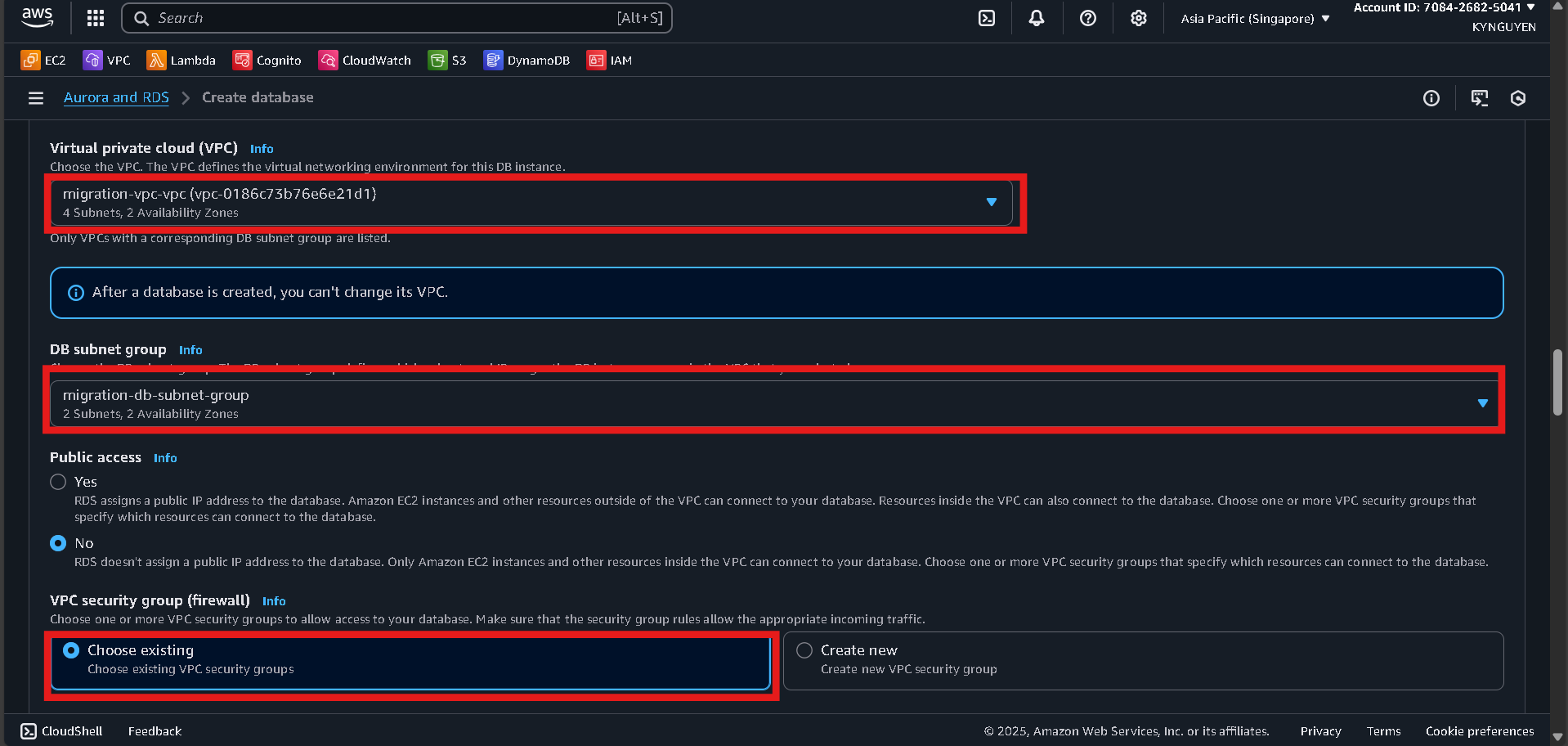
Connectivity
- VPC:
migration-vpc - DB subnet group:
migration-db-subnet-group - Public access: No
- Security group:
db-migration-sg
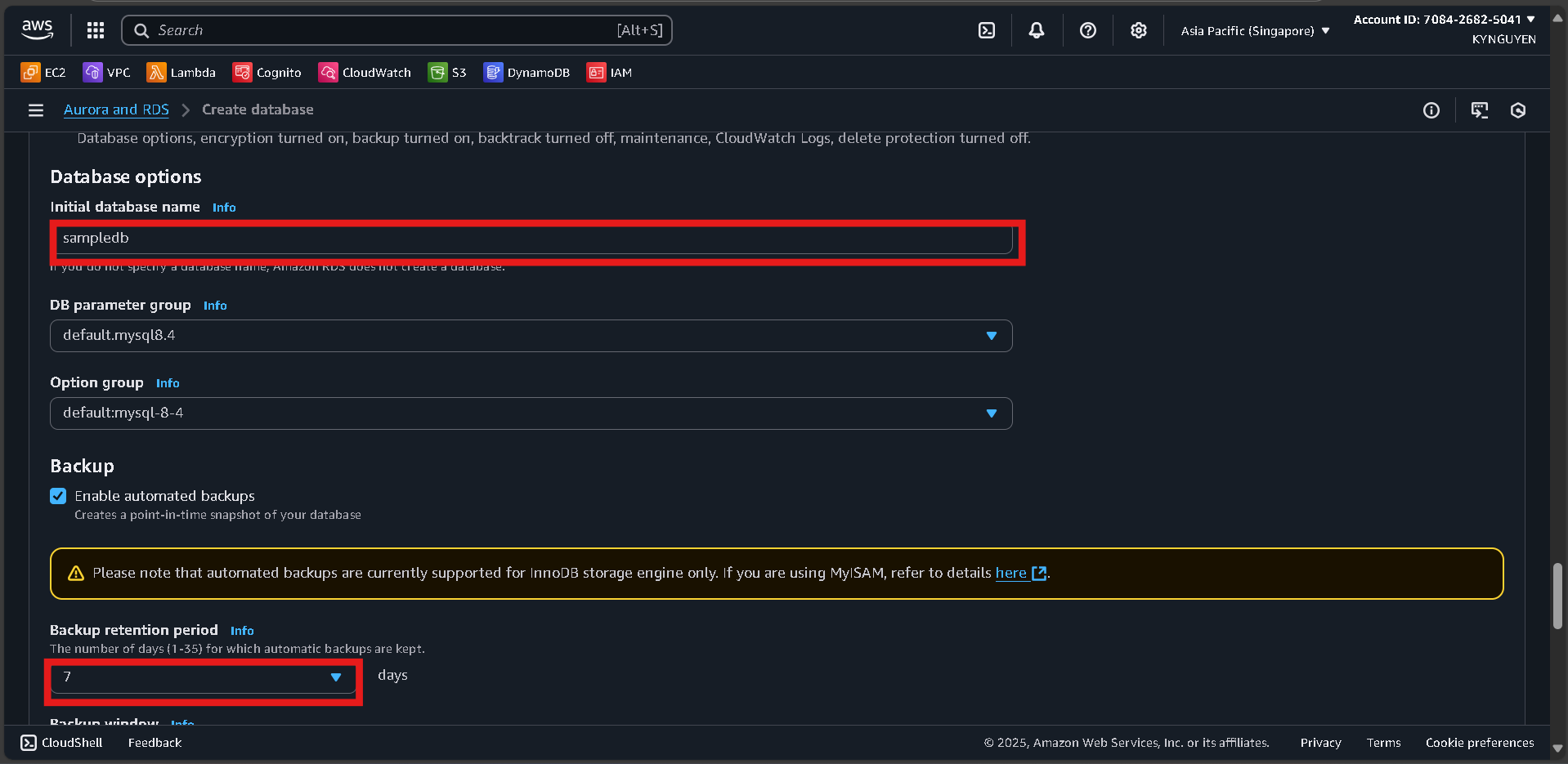
Additional Configuration
- Initial database name:
sampledb - Backup retention: 7 days
- Enhanced monitoring: No
Click “Create database” and wait ~10 minutes.
📝 Notes:
- Source DB Identifier:
source-mysql-db - Endpoint: (available after creation)
- Username:
admin - Password:
MyPassword123!
Create Target Database (PostgreSQL)
Create PostgreSQL Database
- In RDS Console, click Create database.
Database Configuration
- Engine: PostgreSQL
- Version: (latest)
- Template: Free tier
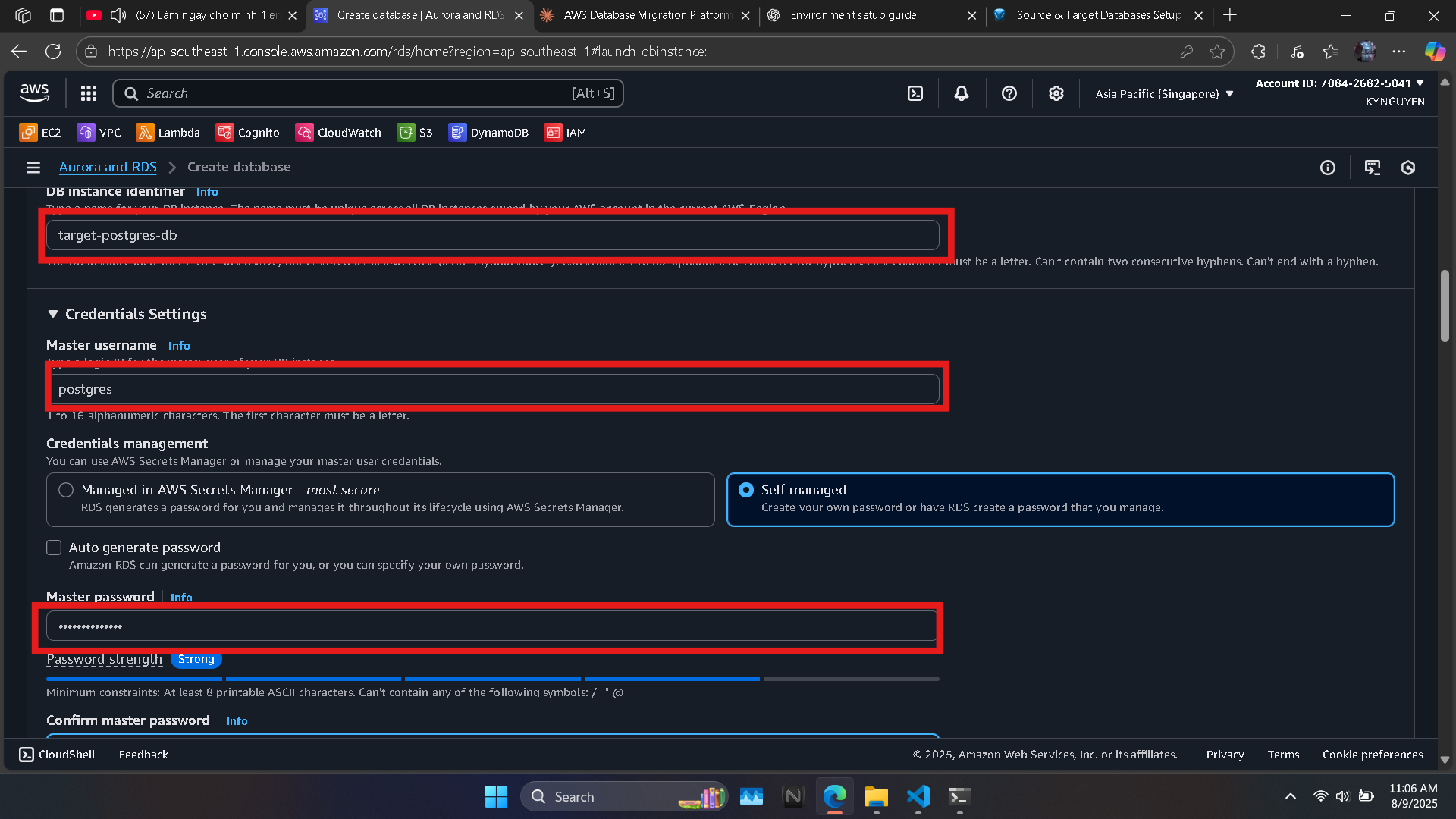
Settings
- DB instance identifier:
target-postgres-db - Master username:
postgres - Password:
MyPassword123!
Instance Configuration
- DB instance class:
db.t3.micro
Storage
- Storage type: General Purpose SSD (gp2)
- Allocated storage: 20 GiB
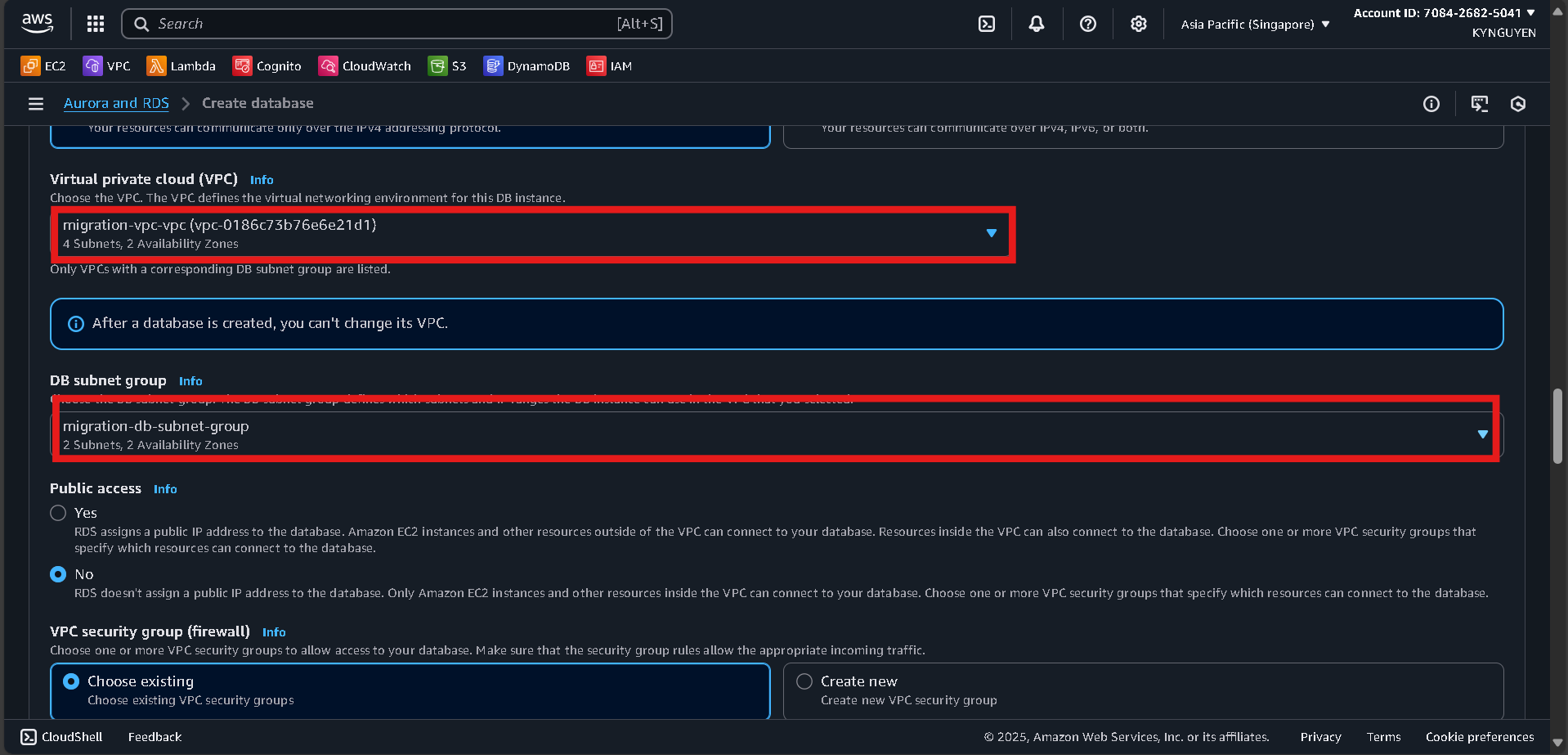
Connectivity
- VPC:
migration-vpc - DB subnet group:
migration-db-subnet-group - Public access: No
- Security group:
db-migration-sg
Additional Configuration
- Initial database name:
targetdb
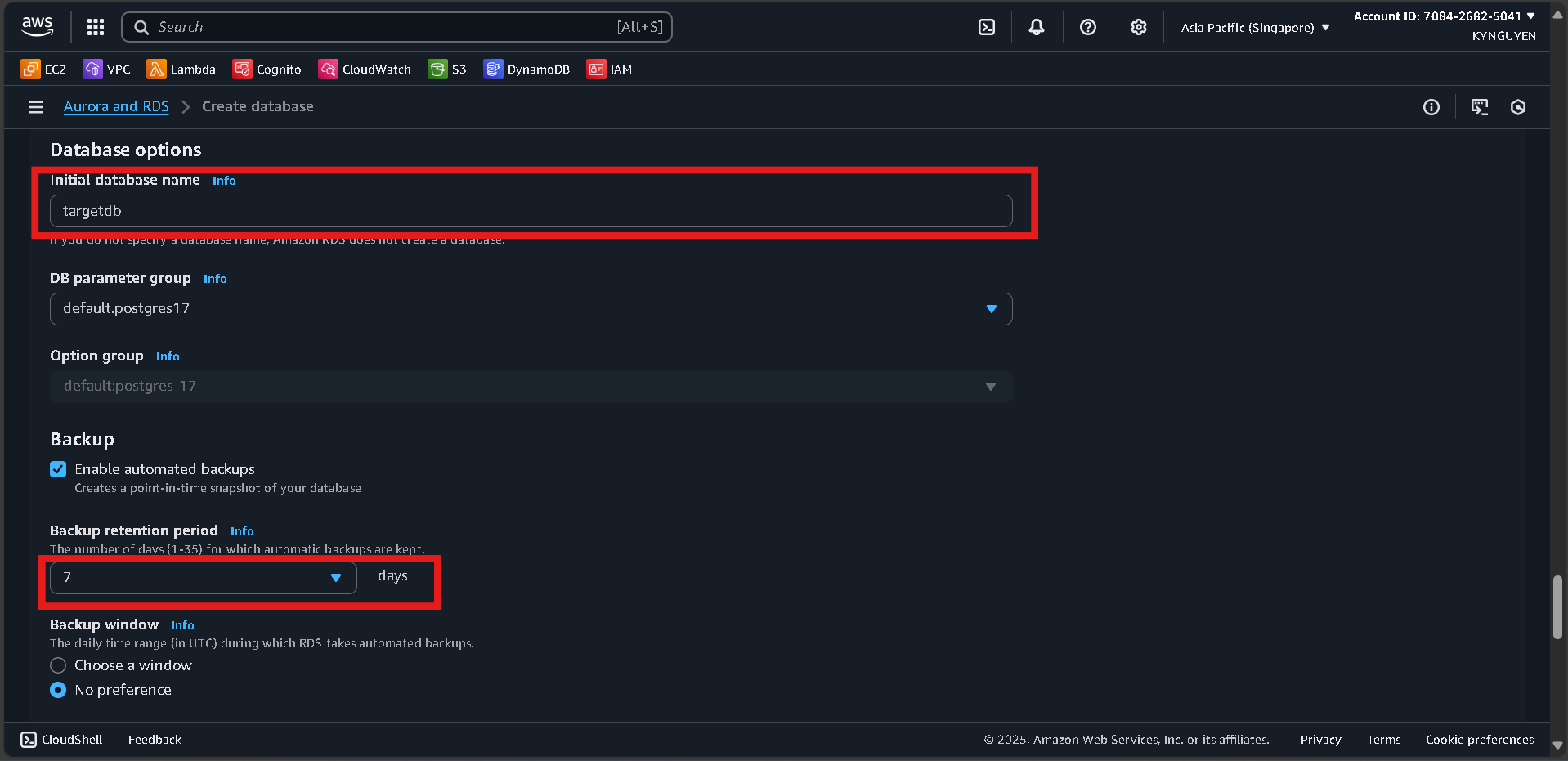
Click “Create database” and wait ~10 minutes.
📝 Notes:
- Target DB Identifier:
target-postgres-db - Endpoint: (available after creation)
- Username:
postgres - Password:
MyPassword123!