Build an Automated Database Migration Platform with DMS & SCT > Environment Setup > Create DB Subnet Group
Create DB Subnet Group
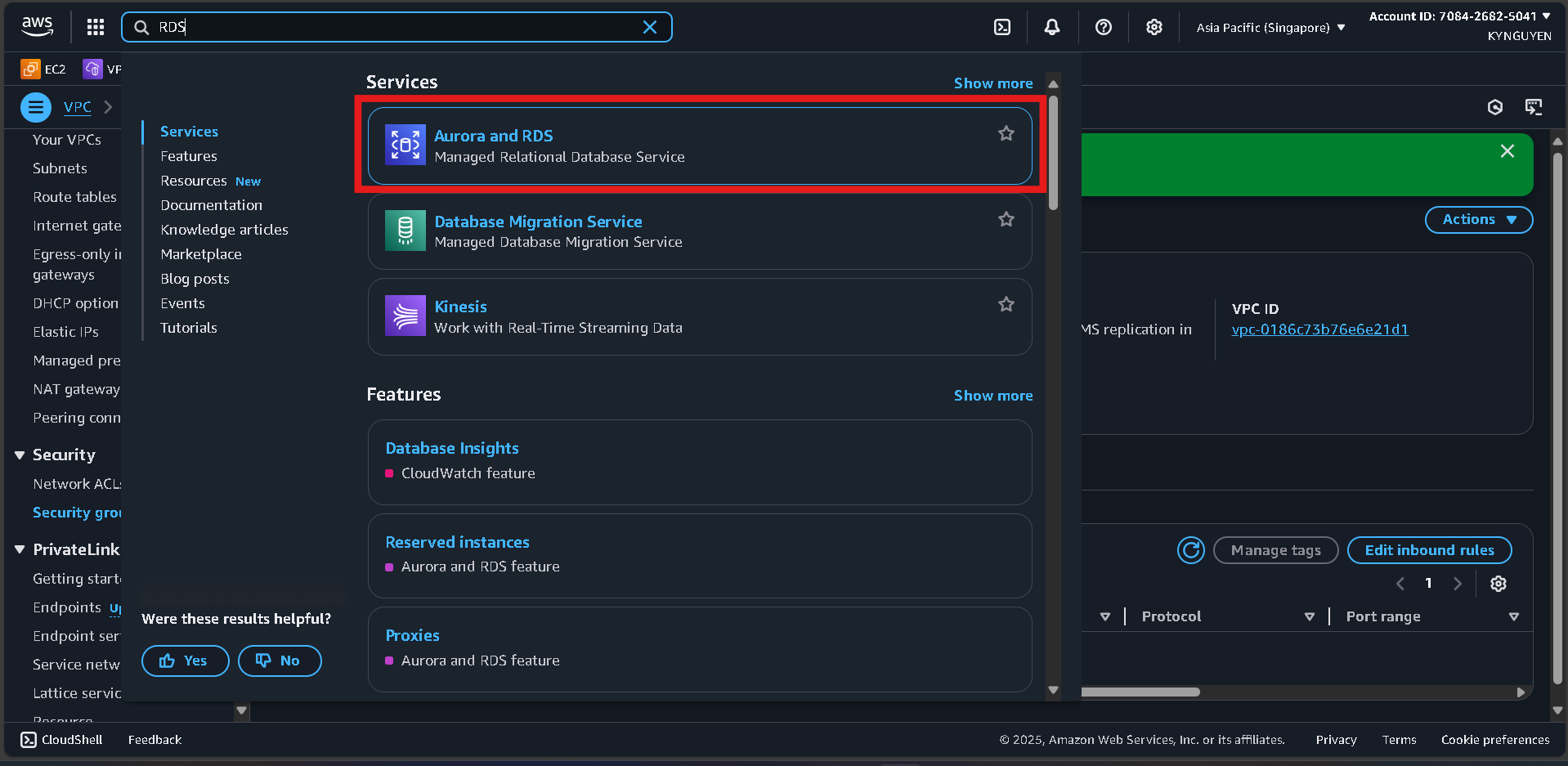
Access RDS Console
- Search for RDS in AWS Console.
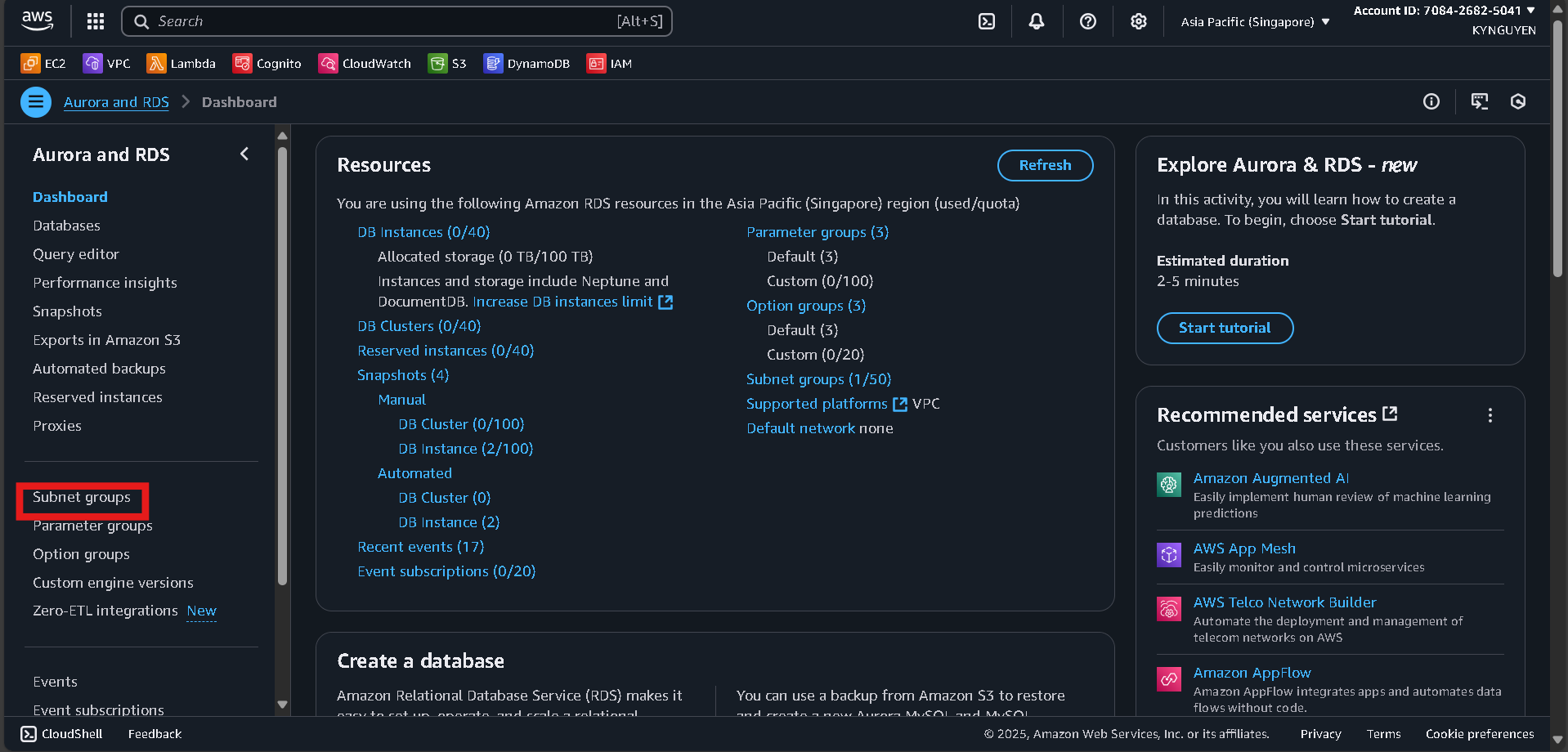
- Go to Subnet groups in the left panel.
Create DB Subnet Group
- Click Create DB subnet group.
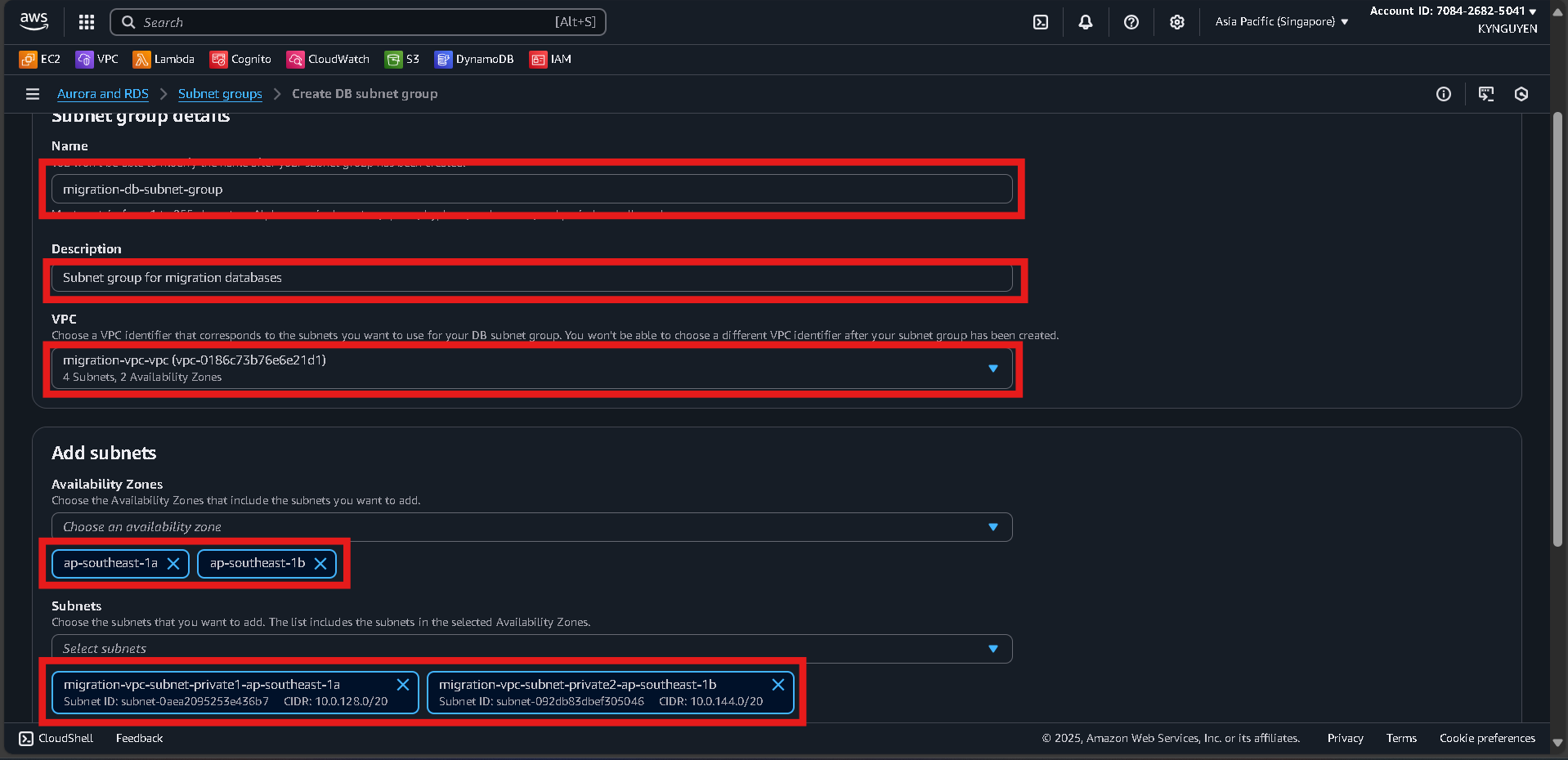
- Configure:
- Name:
migration-db-subnet-group - Description: Subnet group for migration databases
- VPC:
migration-vpc
- Name:
- Add subnets:
- Select 2 Availability Zones.
- Choose 2 private subnets created earlier.
- Click Create.
Notes
- DB Subnet Group:
migration-db-subnet-group