Create Security Groups
Database Security Group
- In VPC Console, go to Security Groups → Create security group.
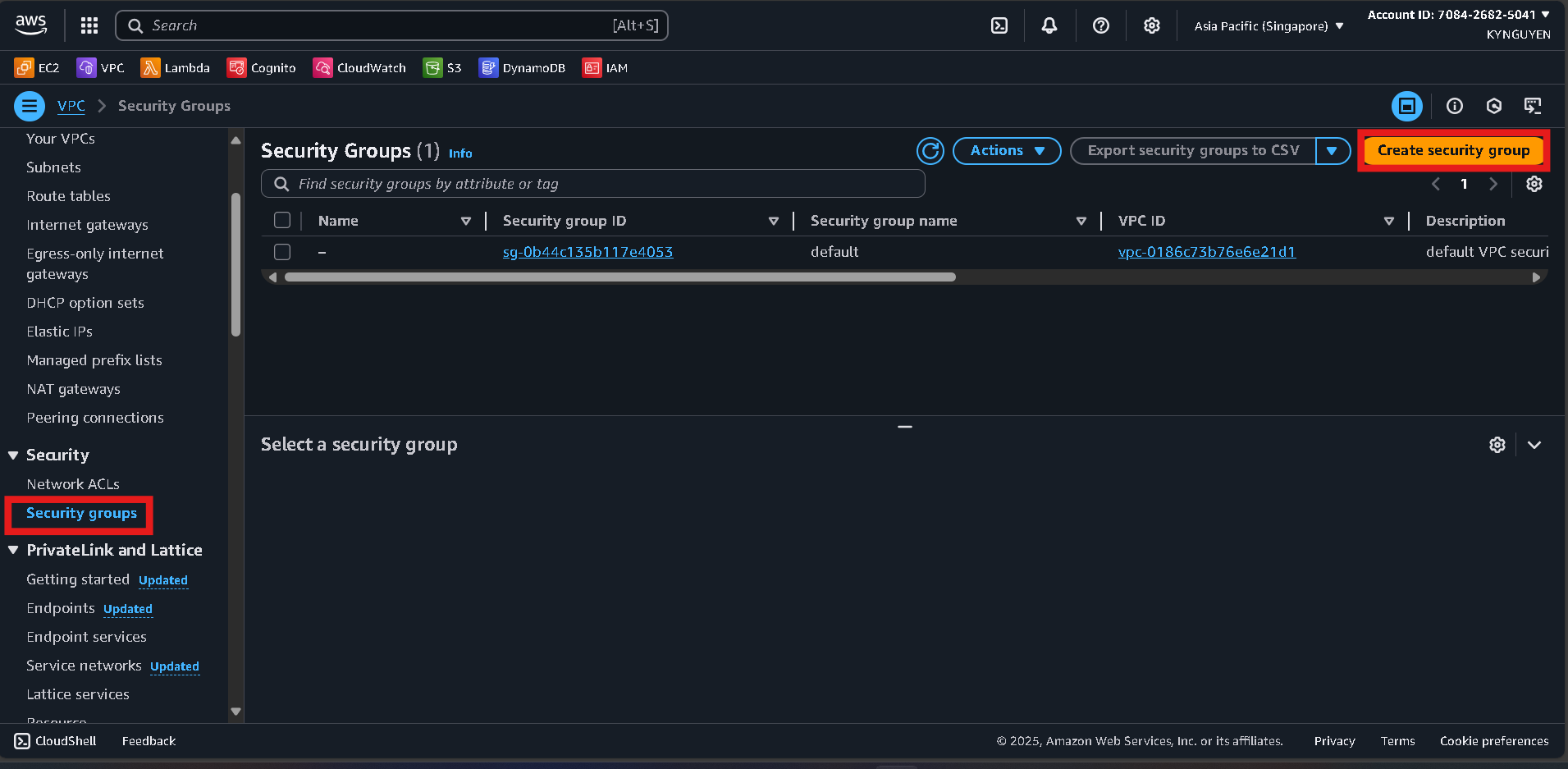
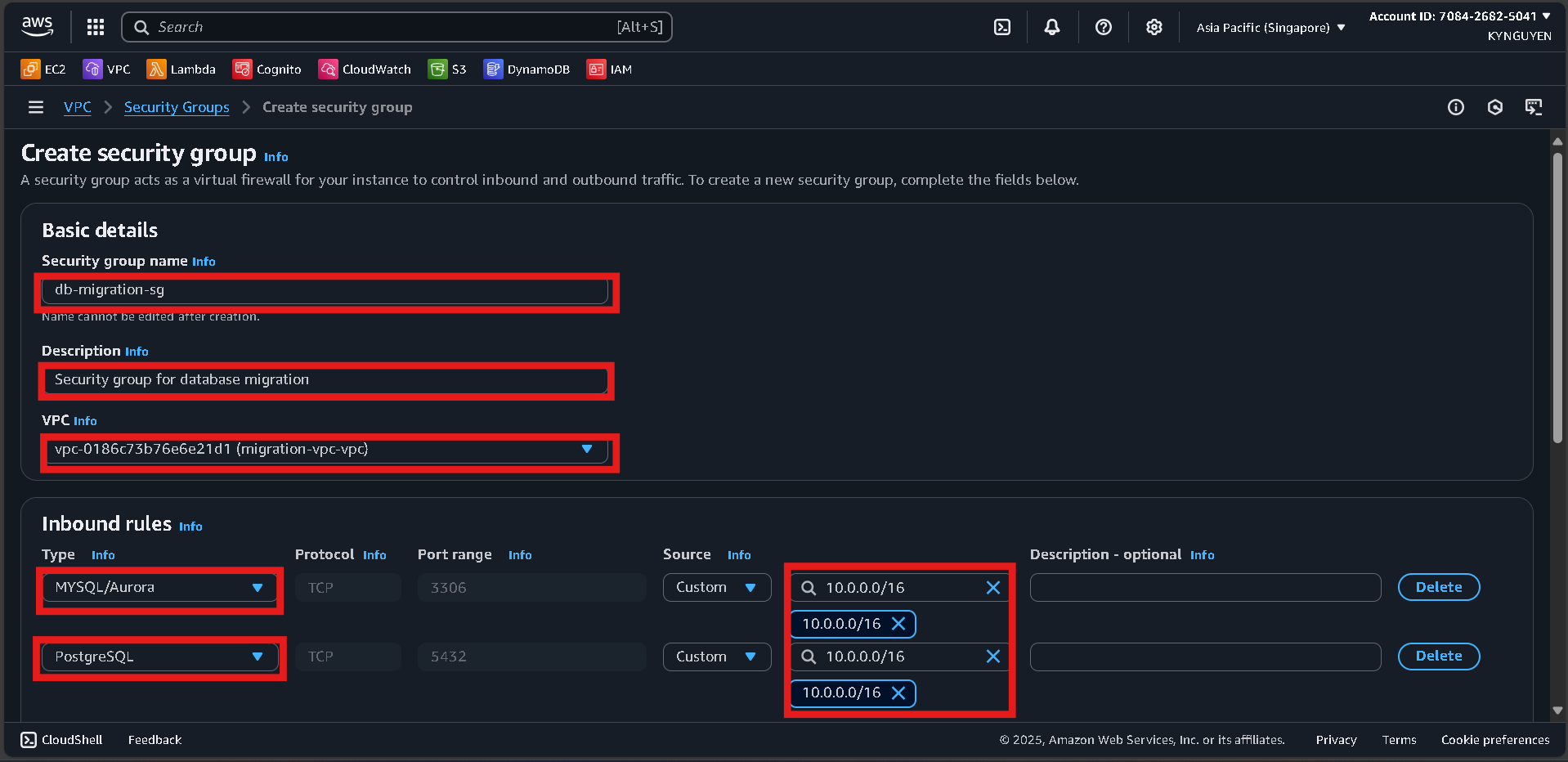
- Configure:
- Name:
db-migration-sg
- Description: Security group for database migration
- VPC:
migration-vpc
- Add inbound rules:
- MySQL/Aurora (3306) → Source:
10.0.0.0/16
- PostgreSQL (5432) → Source:
10.0.0.0/16
- Click Create security group.
DMS Security Group
- Click Create security group again.
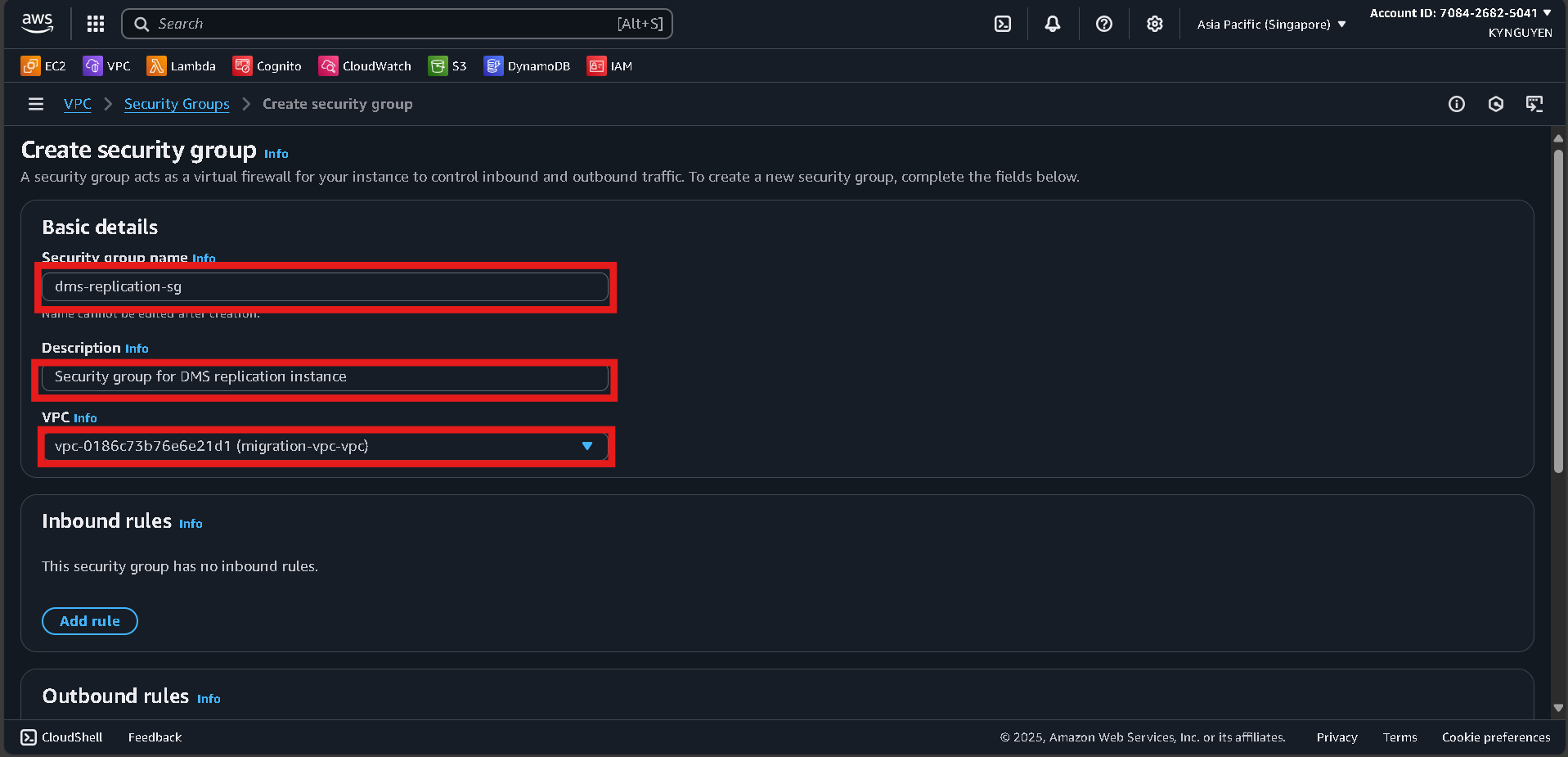
- Configure:
- Name:
dms-replication-sg
- Description: Security group for DMS replication instance
- VPC:
migration-vpc
- Inbound rules: leave empty (DMS only needs outbound).
- Outbound rules: keep default (All traffic).
- Click Create security group.
Notes
- Database SG ID:
sg-xxxxxxxxx
- DMS SG ID:
sg-xxxxxxxxx